Managing Project Portfolios with HOPEX Digital Transformation Desktop
The project portfolio management enables the analysis of the potential return of a set of projects according to the risks, the available funds, the probable duration of a project and the expected results. Its primary aims are to:
• Control the suitability of projects with respect to the strategic objectives of the organization;
• Ensure consistency between the projects and the organization's capability.
HOPEX Project Portfolio Management option provides a set of functionalities to:
• Submit and assess the project demands and candidate projects;
• Accept or reject candidate projects;
• Select and define the project priority according to selection criteria (strategic, financial, etc.);
• Analyze and arbitrate portfolio projects;
• Follow project progress.
Enabling access to projects in progress with HOPEX Digital Transformation Desktop
To access the list of elements that are part of your portfolio project:
1. Click the Projects navigation pane.
2. In the navigation pane, click Hierarchy.
The tree of main elements describing your Project Portfolios is displayed.
For more information on Project Portfolio management, see Project Portfolio Management chapter in the HOPEX Common Features guide.
Accessing the HOPEX Project Portfolio Management elements
To access objects dedicated to your enterprise projects management:
1. Click the navigation menu then Projects.
2. In the navigation pane, click Inventory.
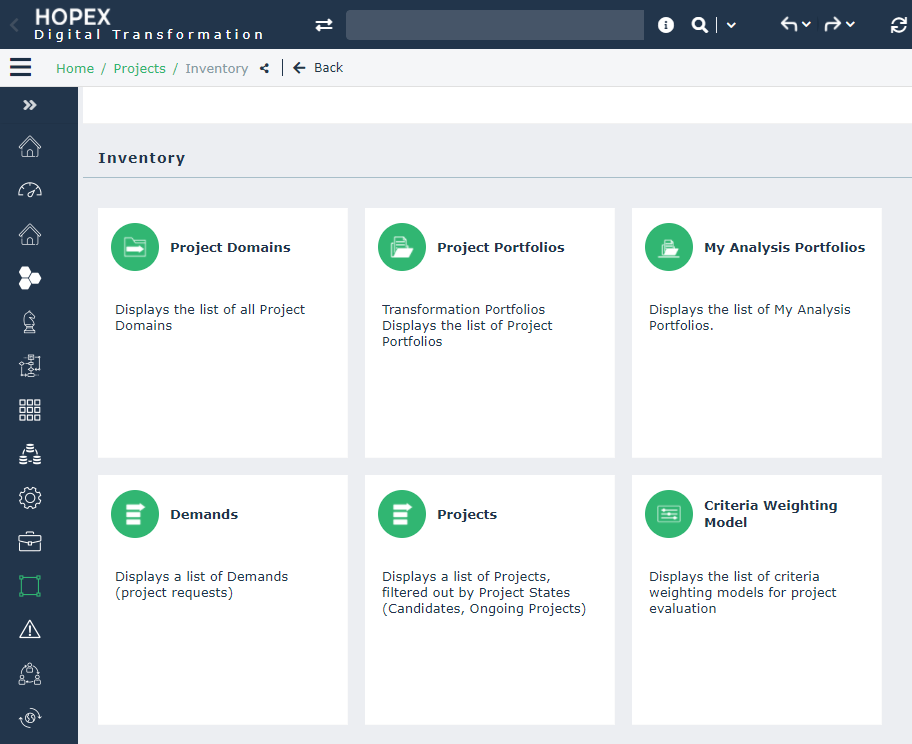
A list of tiles is proposed to help you to manage your Project Portfolio project:
 A project consists of a set of tasks entrusted to a team, which transforms a system or part of a system with the aim of achieving a given objective.
• The Project Domains tile allows you to define the sector and the application scope of the project.

• The Project Portfolios and Analysis Portfolios tiles allow you to access the list of project Portfolios.
• The Demands tile allows you to manage the new project proposals.
• The Project tile allows you to manage the validated projects.
• The Criteria weighting Model tile allows you to automatically calculate the rank of a project in the context of this portfolio.