Executing Descriptors
Executing a descriptor
To execute a descriptor:
1. Access the descriptor editing window.

2. From the descriptor editing window, select MEGA > Process.
The query dialog box appears.
3. Click  .
.
.4. In the dialog box that opens, select the objects that interest you and click OK.
A message box shows the progress of descriptor processing.
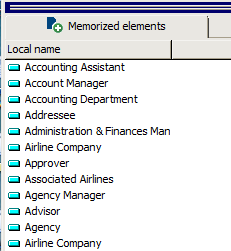
Objects selected are memorized and displayed in the Memorized elements tab.
 The result is displayed in an MS Word window:
Re-executing the descriptor from memorized objects
HOPEX memorizes objects used in the last execution of the query. These objects appear in the Memorized Elements tab (see Executing a descriptor).
To re-execute a descriptor from memorized object:
1. (optional) If needed, from the descriptor editing window, delete an object from the Memorized Elements tab list (right-click the object and select Remove).
This set of objects enables time saving when executing and testing the descriptor.
2. Click Run descriptor and select Execute on all memorized elements.
The reports execute and the RTF format document is regenerated.