Defining a MetaTool
A MetaTool is a functionality which at processing needs to create a set from a root object. In practice, it is not a root object but a set of root objects, but the principle remains the same.
To build this set, the MetaTool applies a perimeter to the root object. It is possible to assign a default perimeter to each MetaTool. The aim of this perimeter is to provide a standard behavior if no customized perimeter exists in this context.
"Export" MetaTool
The "Export" MetaTool enables generation of an extraction file which represents part of the repository. A perimeter is required to build the set of objects and links to be extracted from one or several root objects.
This functionality is available from the object menu by selecting command "Manage\Export", or from the desktop menu by selecting "File\Export\MEGA Objects".
The Export MetaTool dialog box looks like this:
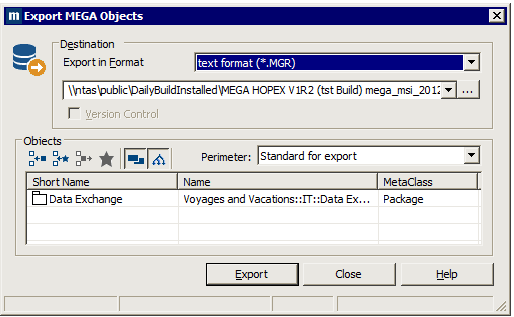
By default, a perimeter is already present: "Standard for export", which is the MEGA standard perimeter of the export MetaTool.
The perimeter is not visible as standard in the dialog box.
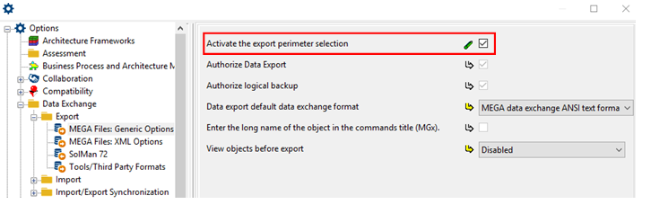
To activate it:
1. In HOPEX options, expand Data Exchange > Export folders.
2. Select MEGA Files: Generic Options.
3. In the right pane, select the "Activate the export perimeter selection" option.
"Compare and align" MetaTool
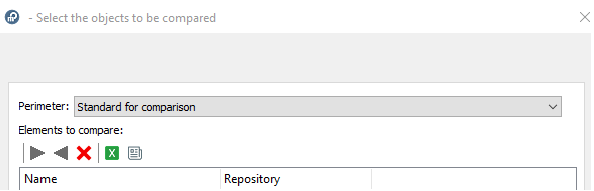
The "Compare and Align" MetaTool enables comparison of objects and links in two MEGA repositories. Processing of compare handles either all objects and links in the repository, or the set of objects and links built from a perimeter and from one or several root objects.
This functionality is available from:
• an object contextual menu by selecting Manage > Compare and Align,
• HOPEX desktop menu bar by selecting Tools > Manage > Compare and Align,
• an environment menu by selecting Compare and Align
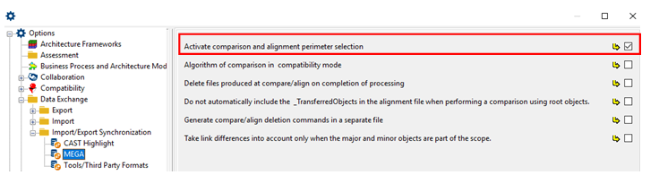
Perimeter visibility in this MetaTool is managed by the "Activate compare and align perimeter selection" available in options:
The "Standard for comparison" perimeter is the MEGA standard perimeter for use of the "Compare and align" MetaTool.