Configuring Name Generation
Naming rules
The names of physical objects created at "logical to physical" synchronization are deduced from the Local Name of the logical objects from which they are derived.
As logical object names (class, association, part, attribute, role) are not subject to any particular restrictions, transformation rules apply by default at their synchronization. These rules are accessible locally in the Options > Standard page of synchronized database properties, or globally in the target DBMS properties:
• Identifier size: maximum size of SQL identifier for this target DBMS
• First character: character set authorized for first character of SQL identifier
• Authorized characters: character set authorized for SQL identifier characters
• Replacement character: replacement character for unauthorized characters
• Converted characters: SQL identifier character set to be converted
• Conversion characters character set corresponding to characters to be converted
• Upper-case conversion: conversion to upper-case of SQL identifiers
It is possible to indicate another name for each synchronized object using its SQL Name. The SQL Name replaces the Local Name at synchronization, while taking account of default transformation rules.
The SQL Name of logical objects is accessible in the Generation > SQL page (or SQL page) of their properties.
You can give a different name depending on the database and DBMS.
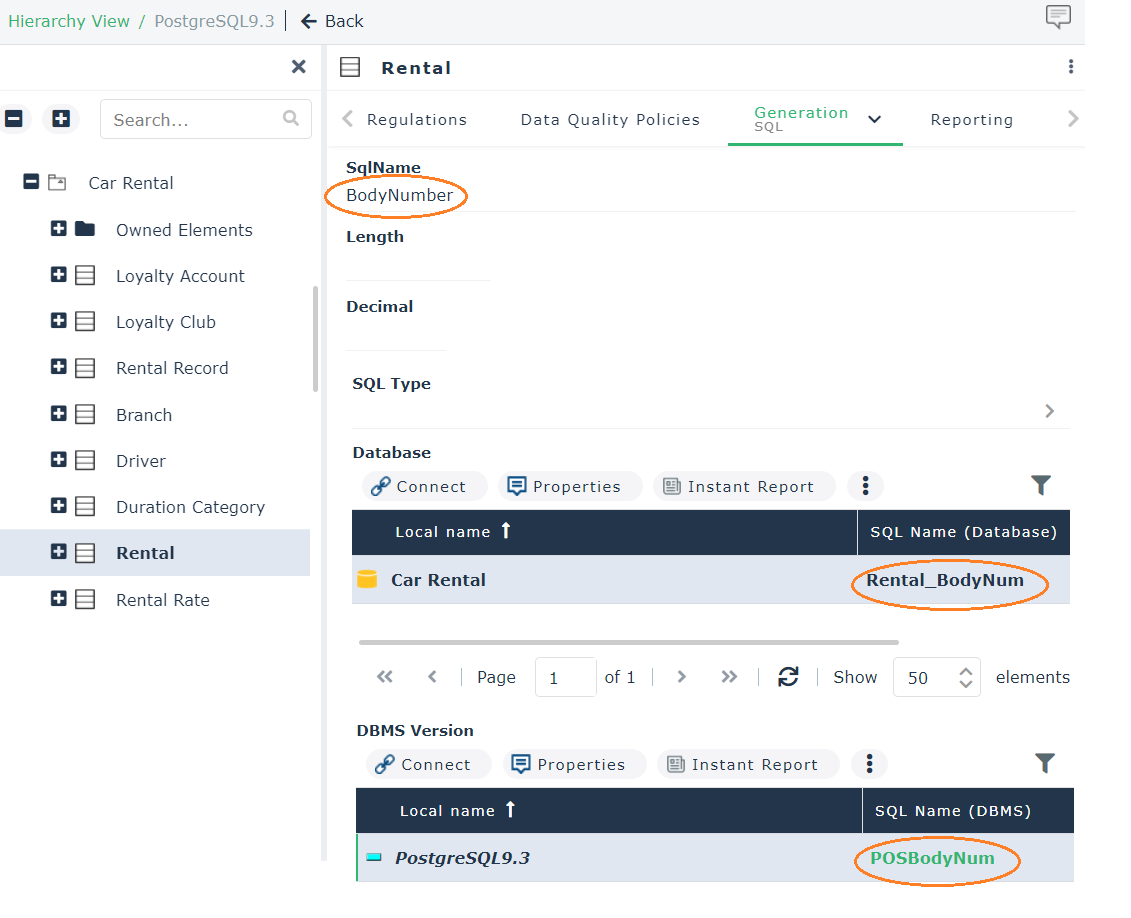
When fields SQL Name (Database) and SQL Name (DBMS) indicate different names, the name defined at database level takes precedence at synchronization.
By default, names of relational objects are generated according to the following masks:
Table | Database prefix + name* of entity or association |
Column | name* of attribute |
Primary key | "PK_" + name* of entity or association |
Foreign key | "FK_" + name* of target entity or role if specified |
Primary key index | "IDX_" + name* of entity or association |
Foreign key index | "IDX_" + name* of target entity or role if specified |
*Name calculated according to previously explained naming rules.
These masks can be modified locally in each database, or globally for a given target DBMS.
Modifying a naming rule
To modify the mask of a naming rule:
1. Right-click the database and select Properties.
2. Click Options > Synchronization.
3. In the field of the rule in question, click the arrow.
4. 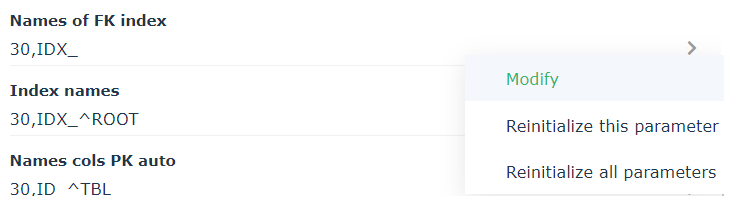 Click Modify.
Click Modify. The Enter SQL Mask window opens.
Entering the SQL mask
SQL masks define relational object naming rules at synchronization.
Example: In the DB_EMPLOYEES database, which has the prefix EMP, the mask ^DB_^ROOT generates the following for the table derived from the Customer entity: EMP_CUSTOMER
In the SQL mask entry dialog box, you can directly enter the Mask using syntax indicated below, but you can also use entry help proposed in the Component frame.
 In the list in the Component box, select the elements that are to prefix the names. These elements are:
^ROOT | • For a table: name* of the class, association or part from which it is derived. • For a column: name* of the attribute or name of the identifier. • For a primary key: name* of the class, association or part from which it is derived. • For a foreign key: name* of the target class or the role if specified • For an FK column: name* of the attribute. • For an auto PK column: name* of the class identifier. • For an index on primary key: name* of the class, association or part. • For an index on foreign key: name* of the target class or the role if specified • For an index: name* of the attribute, role or class. |
^DB | Database prefix |
^EXT | • For a foreign key: name* of the association, part or generalization • For an index on foreign key: name* of the association, part or generalization |
^TBL | Table local name or reference table local name |
^TBO | • For a foreign key: name* of the class, association or part from which it is derived • For an index on foreign key: name* of the class, association or part from which it is derived |
^TBR | Reference table name |
^KEY | Foreign Key name |
^CPT | Timestamp |
*Name calculated according to previously explained naming rules.
Size indicates total length limit of the generated name. It also applies to each of the elements used, which will be shortened to the number of characters indicated between brackets alongside the element concerned.
Definition of a Timestamp ("^CPT") enables automatic generation of an order number and indication of its length, (for example, ^CPT[^1^] will generate "1", "2", "3"; ^CPT[^3^] will generate "001", "002", "003").
The Always option indicates that timestamping begins from the first occurrence (CLI00, CLI01, etc., instead of CLI, CLI01).
You can also specify characters used as prefix and suffix of this timestamp.
Using the Name Unicity option ensures that the name of an object is not repeated in the database, repository or table in which this object appears. As such, if you apply the Name unicity option to a table, different objects of this table cannot have the same name.
Configuring PK column names (implicit identifier)
At synchronization in Logical > Physical mode, the entity identifier becomes the primary key of the table. If the identifier is implicit, a column is automatically created. For more details, see "Logical to Physical" Synchronization Rules.
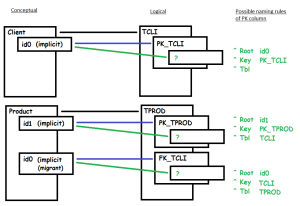
By default, the name of a column derived from an implicit identifier is built using the ^TBL keyword which corresponds:
• to the name of the migrating table (in other words derived from a foreign key) if the identifier is migrating
• to the name of the table if the identifier is not migrating
You can modify construction rules and build the name of these columns with the ^KEY keyword corresponding to the name of the foreign key (without " FK_ ") if the identifier is migrating, as well as with the ^ROOT keyword corresponding to the name of the identifier (ID). See Modifying a naming rule.
Example
When there are two constraint associations between two entities as below:
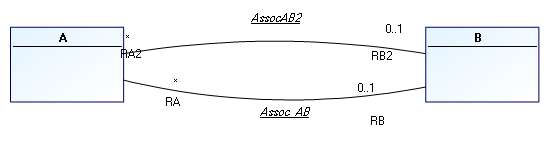
By default after synchronization, you obtain two columns with identical names, differentiated only by prefix "1".
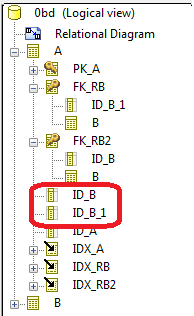
You can modify the naming rule and build the name of these columns with the ^KEY keyword corresponding to the name of the foreign key (without " FK_ ").
The name of the foreign key being calculated on the name of the Role when it is specified, the names obtained for these two columns will be different.
In our example, if you replace "ID^TBL" par "ID^KEY" after synchronization you obtain: