Inserting object names in comments
HOPEX enables you to insert object names, as fields, in comments. This enables:
• automatic creation of links in generated Web sites.
• automatic refresh of object names in comments.
 When you insert an object name, as a field, its name (when modified) is automatically updated in the comment.
To insert an object in a comment:
1. Enter the comment of the object.
2. In the comment pane toolbar, select Insert object in text.
3. Use the search tool to select the object and click OK.
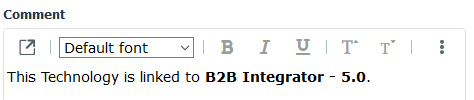
The name of the object is inserted in bold text (as a field).
 To access the inserted object properties. select the object and in the comment pane toolbar select Field Properties.