Technical Data Lineage
A technical data lineage is the technical and detailed representation of the transformations that apply to the data. This representation is intended for technical data managers and data engineers.
From HOPEX you can access the technical data lineages available in Manta. Manta is an automated data lineage platform designed to extract, from a selection of source systems (data sources, file systems), the technical information of data flows, transformations and dependencies.
Manta Import Overview
Manta and HOPEX integration involves importing into HOPEX the dictionary of metadata scanned by Manta, together with their descriptions and references (URLs), so that their technical lineage can be consulted in Manta from HOPEX.
Imported objects are metadata from data sources such as deployed data stores, schemas, meta dataset and meta fields.
|
Object mapping
|
||
|---|---|---|
|
Manta
|
HOPEX
|
Properties
|
|
Server
|
Deployed server
|
Manta identifier, name
|
|
Database
|
Deployed data store
|
Manta identifier, name
|
|
Schema
|
Meta dataset schema
|
Manta identifier, name, Manta link
|
|
Table
|
Meta dataset
|
Manta identifier, name, description, Manta link
|
|
Column
|
Simple meta field
|
Manta identifier, description, data type, length, decimal, Manta link, identifier field, referencing field
|
|
View
|
Metadata view
|
Manta identifier, name, Manta link
|
|
DBMS
|
Software technology
|
Name
|
Processes (stored procedures, functions, triggers, programs, scripts, reports, technical lineage) are not imported into HOPEX. This information is stored in Manta and referenced by HOPEX.
Prerequisite Conditions
Technical data lineage functionalities are available with the HTDL product option, which is protected by a license.
To view Manta technical data lineages from HOPEX, access must be authorized between the Manta server and the HOPEX server, which can be deployed on site or in the Cloud.
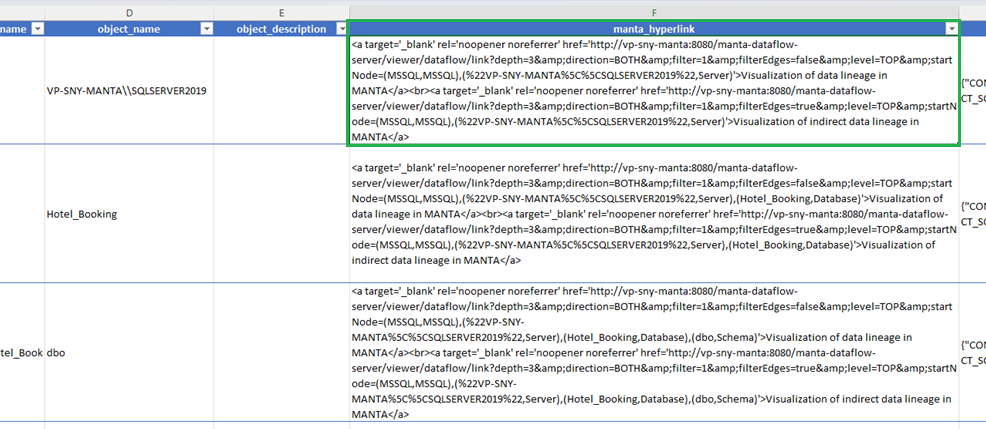
Also, make sure that the URLs of the objects extracted from Manta and imported into HOPEX are public and accessible to the HOPEX Data Governance solution. These URLs are generated in the "Dictionary.csv" file, in the "manta_hyperlink" column.
Contact your Manta administrator to specify a public URL for access to Manta from HOPEX.
Importing Manta Data
Data from Manta is exported in a .csv file, named Dictionary.csv. This file can then be imported into HOPEX as a .zip file, for use in a data catalog.
To import the Dictionary.csv file in HOPEX Data Governance:
1. In the navigation menu, click Tools > Manta Import.
2. The data lineage import wizard opens.
3. Specify:
• the data catalog, which will reference the imported metadata
• the data center that will hold the metadata
• the .zip file containing the data lineage from Manta.
 For import into HOPEX to work, make sure that the .csv files are at the root of the .zip file and not in folders.
4. Click OK.
The scheduler window appears. It indicates that the file will be imported in batch mode.
5. Click OK.
At the end of the import, a notification and an e-mail are sent to the user who launched the import and to the owner of the data catalog.
Once the metadata has been imported into HOPEX, the technical data lineage can be viewed by calling up the Manta Viewer tool.
Viewing the Technical Data Lineage
Accessing the technical data lineage
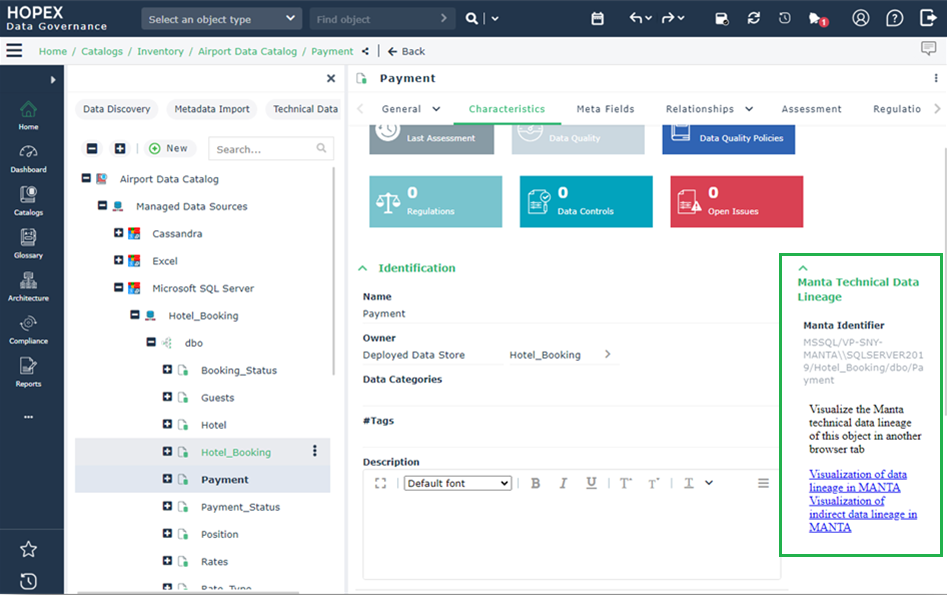
You can access from HOPEX Data Governance the Manta data lineage of a meta dataset. To do this:
1. Open the properties of the meta dataset.
It must be a metadata that has been imported from Manta.2. Click the Characteristics page.
3. On the right side of the page, click the Visualization of data lineage in Manta.
4. Log in to your Manta account.