Modeling the Systems Used
 A system used during the execution of a step of a process represents what is necessary to realize this step. It can be an application or an IT service, or any other non IT resource, or more generally a functionality.
A System Used can be of several types:
• An IT service,
An IT service is a software component of an application, that can't be deployed alone and that realizes a sub-set of the functionalities of this application either for end users of this application or inside the application (or another application). This includes batch programs.• An application,
An application is a software component that can be deployed and provides users with a set of functionalities.• A functionality,
A technical functionality is a capability expected from an equipment item (hardware or software) to ensure the operation of a technical element or an application.• A resource.
A resource is a means used to perform certain actions.System used Example
We can define a new organizational process for processing of urgent purchase requests, in which responsibilities of the purchasing assistant are extended. However, the assistant is using an application.
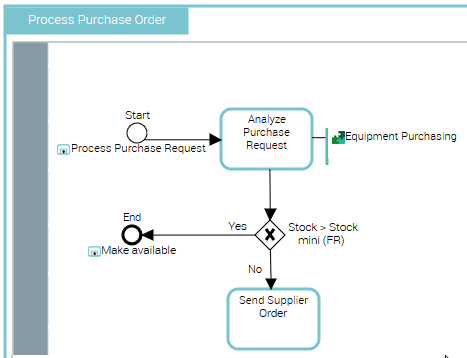
"Process Purchase Request" Organizational Process
The purchasing department begins by analyzing the purchase request. Is product in stock? A request for availability is put forth.
To analyze the purchase request and send the order, the purchasing assistant requires data on stock levels. He will have access to the "Equipment Purchasing" application.
Creating a System Used in an organizational process diagram
 You can see the systems used by the operations by selecting "System used" in the window opened from the "Views and Details”
  button.
To create a system used representing the use of the application by the organizational process:
1. Click the arrow at the right of the System Used button and select Application Used.
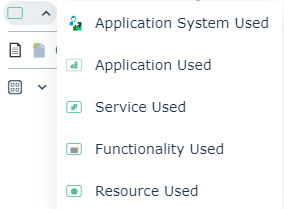
2. Click in the diagram.
A creation dialog box opens.
3. In the Application field, select the applications you want to use.
4. Click OK.
The system used is positioned in the diagram.
5. Use the link button to connect the system used you have created to an organizational process or an operation.