Managing the Consistency of the Flows of a Process
The flows, and associated content, exchanged by a process with the outside must be described in the process diagram.
To check the consistency of the flows of a process, you have two functionalities:
• Modeling regulations that allow a global validation of the consistency.
• A specific report that provides a detailed view of the inconsistencies on the exchanged flows. For more details, see Inconsistency of Message Flows in a Process.
To activate the modeling regulation regarding flow consistency:
1. Open the options window.
2. In the options tree, select Workspace > Modeling and Methods Regulations.
3. In the right section, in the Active modeling regulation field, click the arrow and select Select a regulation.
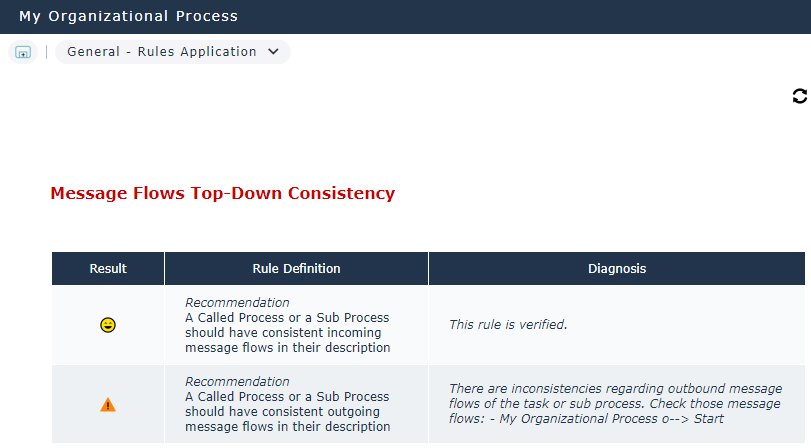
4. Select Message Flows Top-Down Consistency and click OK.
To view the result of the modeling regulation:
 Open the General > Rules Application property page of the process.