Inserting an element in a sequence flow
You may need to insert an operation or an organizational process between two elements linked by a sequence flow. Rather than move the links, you can insert the operation, or the organizational process, directly on the sequence flow.
To insert an operation in a sequence Flow:
1. Click the Operation button of the insert toolbar.
2. Position the mouse on the sequence flow that interests you.
The pointer shape changes to a double-headed arrow.
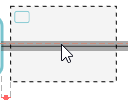
3. Click when the operation is correctly placed.
The operation is automatically created.
The sequence flow is broken down into two sequence flows linking the new operation at each end of the initial sequence flow.