Associating a data object with Sequence Flow
You can specify that the content of a shared object is sent at sequencing of two operations.
For example, a shared object "Purchase Request" can be sent between the operations "Enter Purchase Request" and "Finalize Request".
To simultaneously create a sequence flow and a data object:
1. Click the Sequence Flow button arrow, option Sequence Flow With Data Object.
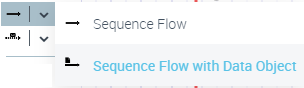
2. Click the operation representing the start step, and, holding the mouse button down, draw a line to the operation representing the next step.
The Creation of Sequence Flow -Data Object dialog box opens.
3. In the Content drop-down list, select the content you wish to associate with the flow.
The sequence flow and its content are displayed in the diagram.