Creating a BIA (Business Impact Analysis)
The IRM Manager must create a Business Impact Analysis for each process and send a matrix to the BIA responsible user.
To create Business Impact Analyses:
3. See Accessing BCM Systems.
4. In the properties of a BCM system, select the Business Impact Analyses page.
5. Click New.
6. Select one or several processes in the tree.
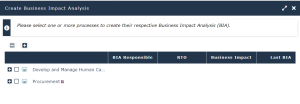
7. Click OK.
Each process has its own BIA.
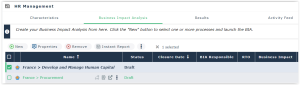
 To access the list of BIAs, see Accessing BIAs (Business Impact Analysis).
Specifying a BIA responsible user and sending the BIA matrix
To specify a BIA responsible user and send him/her a notification:
1. Select a BIA and open its properties.
2. Select a BIA Responsible and click Send to Responsible.
 The BIA Responsible user is the BIA addressee who must fill in the corresponding matrix.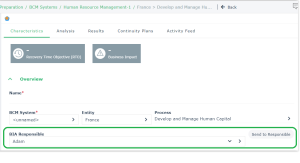
The BIA status is now “Ongoing”. This status specifies that the BIA responsible user has received the BIA and must fill it in. See Performing a BIA.
Assigning several BIA instances to one responsible user
To assign several BIA instances to one responsible user:
1. Select the BIA instances and click Assignation.
2. Specify the responsible user and click OK.
Sending several BIA instances simultaneously
To send several BIA instances simultaneously:
 Select a BIA responsible user and click Send to Responsible.To be able to send e-mails to several responsible users, you must have first defined the responsible users as well as their e-mail in the corresponding column.