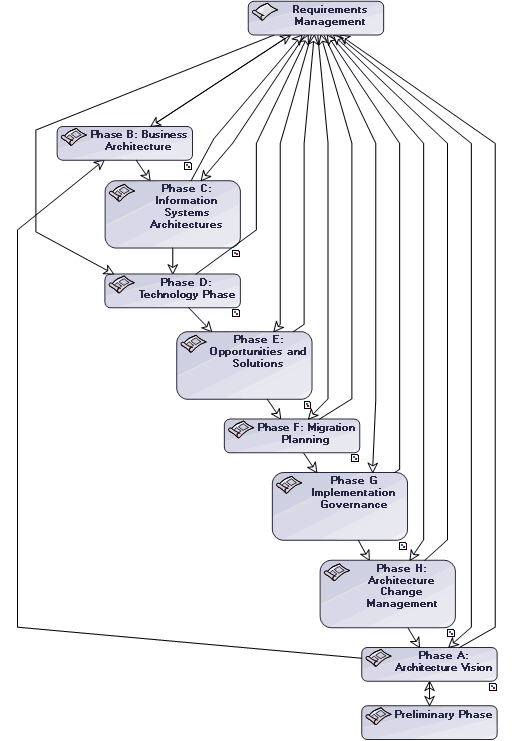
Work Package Scheduling Diagrams
The Scheduling Diagram allows you to describe the sequencing of your organization, architecture, integration or development projects in conjunction with a TOGAF 9 framework.
A project scheduling diagram shows the sequencing of the different phases of a project, or of the sequential linking of projects between themselves.
To access the diagram that describes a project:
 In the TOGAF navigation window, expand the Projects folder and right-click the TOGAF Work Package you wish to navigateselect Scheduling Diagram.
 You must have imported the TOGAF 9 - Sample add-on provided with the TOGAF 9 framework. For more details, see "Importing the TOGAF 9 - Data and Metamodel Customization Solution Packs", page 6.
The work package scheduling diagram appears presenting the various phases of the work package.