Managing the Scheduler
Accessing the Scheduler Control Panel
The Scheduler Control Panel:
• shows the Scheduler state on the SSP on which the Jobs are executed.
• enables to stop and restart the Scheduler.
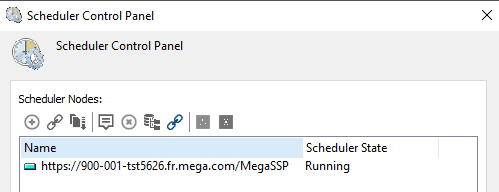
To access the Scheduler Control Panel.
1. From HOPEX Administration, connect to the environment concerned.
2. Expand the Repositories folder, then the repository concerned.
3. Right-click the Scheduler folder and select Scheduler Control Panel.
Stopping the Sheduler
You can stop (or restart) the Scheduler.
To stop the Scheduler:
1. Access the Scheduler Control Panel.
2. Right-click the Scheduler concerned and select Stop Scheduler.
 To restart the Scheduler, select Start Scheduler.