User Desktop Overview
HOPEX for SAP Solution Manager 7.2 functions are available in the BPA desktop of the "Process Functional Administrator" profile.
To access these functions:
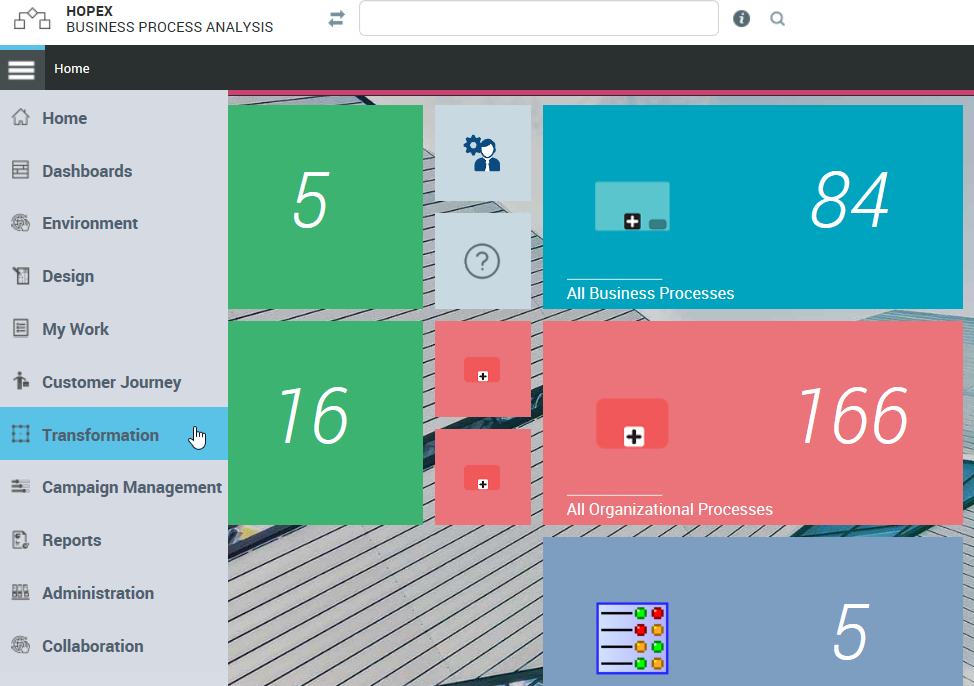
1. Click the navigation menu, then Transformation.
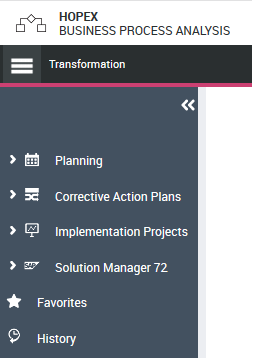
2. Click Solution Manager 7.2.
The following tiles are available:
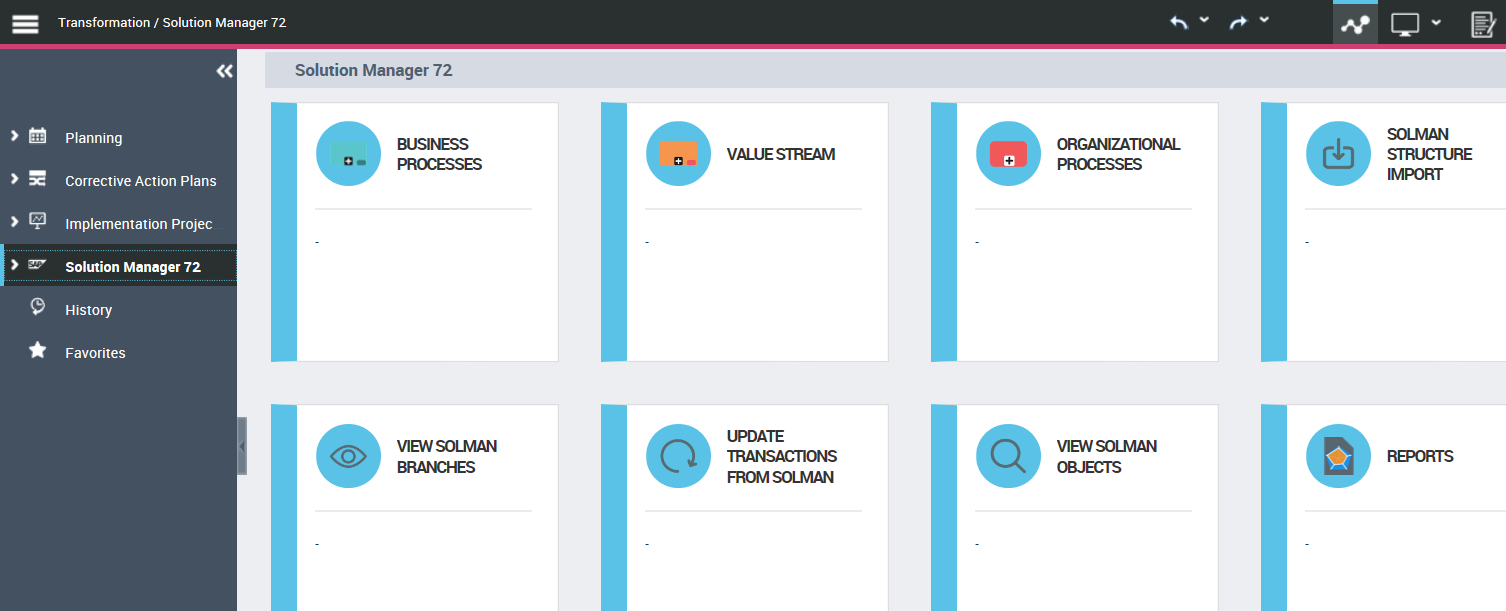
Below is a short description of each tile.
Business Process / Value Stream / Functional Processes
These tiles open a list of business objects of each type. In these lists, some options (detailed in paragraphs 4.1 and 5.1) are used to create SolMan objects and export them to Solution Manager. The user can manage creation of Solution Manager concepts using these lists.
SolMan Structure Import
This command must be launched at the very beginning of use of this product. It imports Solution Manager branch lists. You must enter your SAP SolMan credentials:
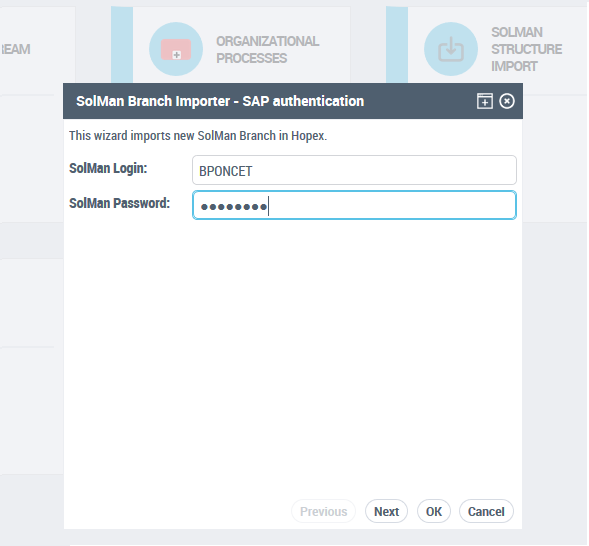
Then choose the Solution from which you want to extract branches.
This wizard imports branches as well as reference data: list of Document types, component groups and sites. It also initializes the folder structure of business processes to enable future storage of HOPEX objects.
View SolMan Branches
Once the branches are imported, you can view the list of SolMan Branches and configure a number of parameters for future synchronization:
• Default component group
• Default document type
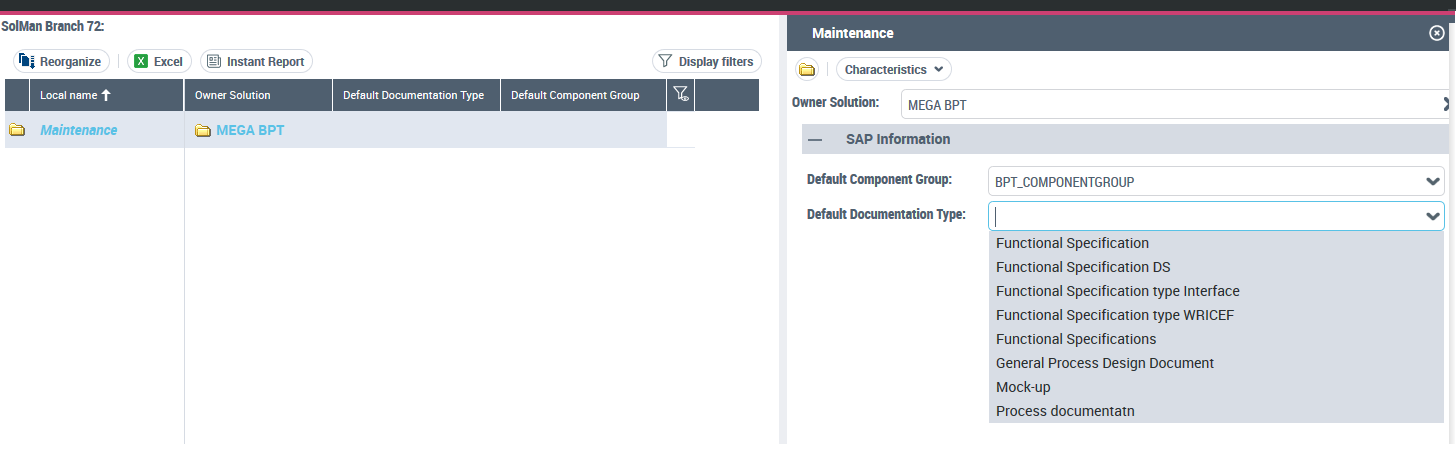
These values are used when creating objects (component group) or diagram images as attachments (document type) in SolMan.
Update Transactions from SolMan
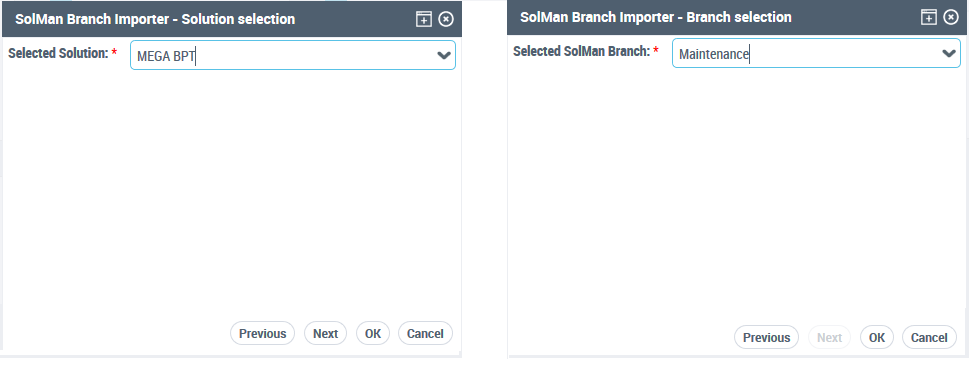
This function retrieves all transaction mapping from a branch of a solution. After SAP authentication (required for each interaction with SolMan), the user chooses a Solution and a branch within the solution. All transactions associated with the entire process hierarchy are retrieved and made visible in HOPEX.
Viewing SolMan Objects
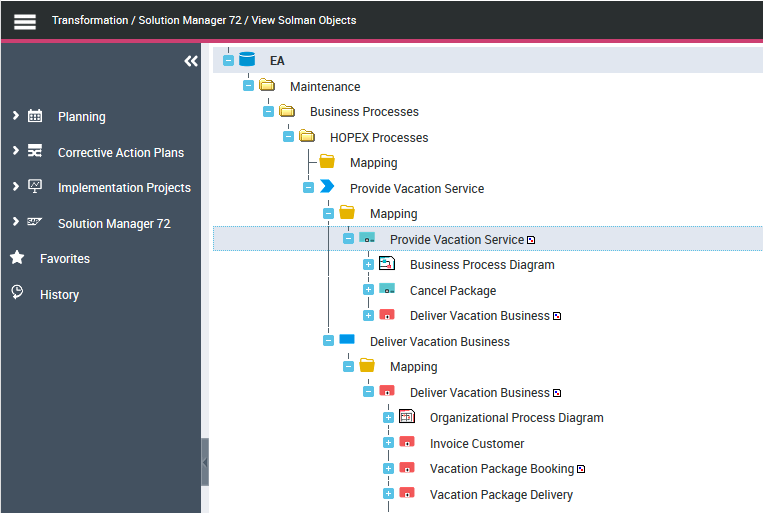
This command opens the tree showing the hierarchy of SolMan objects in HOPEX as well as the business objects associated with this hierarchy. This will be visible after generation of these objects.
Reports
This command gives access to specific reports in the solution. At this stage, a single report showing all transactions and their associated objects is delivered. In this list, you can use all instant report capabilities to analyze SAP transactions within your business process hierarchy.