Export Objects
As for the Import web service, you can call the Export objects Web service in one of the following ways:
 Asynchronously in RestSynchronously in RestWith SignalR
As for the import, you need the environment and the repository id. These two parameters can be retrieved from the environments and repositories endpoints.
Asynchronous method
URL
http://<server>/restapi/v1/environments/<env_id>/repositories/<repo_id>/profiles/<prof_id>/export?objects=<objects>&format=<format>&propagate=<propagate>
Where:
Server is the server urlEnv_id is the environment idRepo_id is the repository idProf_id is the profile idQuerystring filter
|
Input
|
Description
|
Format
|
|
Parameters
|
objects
Root object list
type: string
values: list of coma separated object identifiers (base 64)
mandatory
format
export format (see standard export documentation)
type: string
possible values: “XMG”, “MGR”
mandatory
propagate
activate propagation (see standard export documentation)
type: boolean
optional (default: yes)
perimeter
perimeter identifier (see standard export documentation)
type: string (idabs base 64)
optional (default defined by default perimeter option)
export_transfered_objects
activate propagation objets transfer (see standard export documentation)
type: boolean
optional (default: yes)
continue_on_confidential
does not stop propagation in case of confidential object (see standard export documentation)
type: boolean
optional (default : false)
|
Parameters are set in the URL
|
Result
According to your Accept header, the result is in XML or Json format.
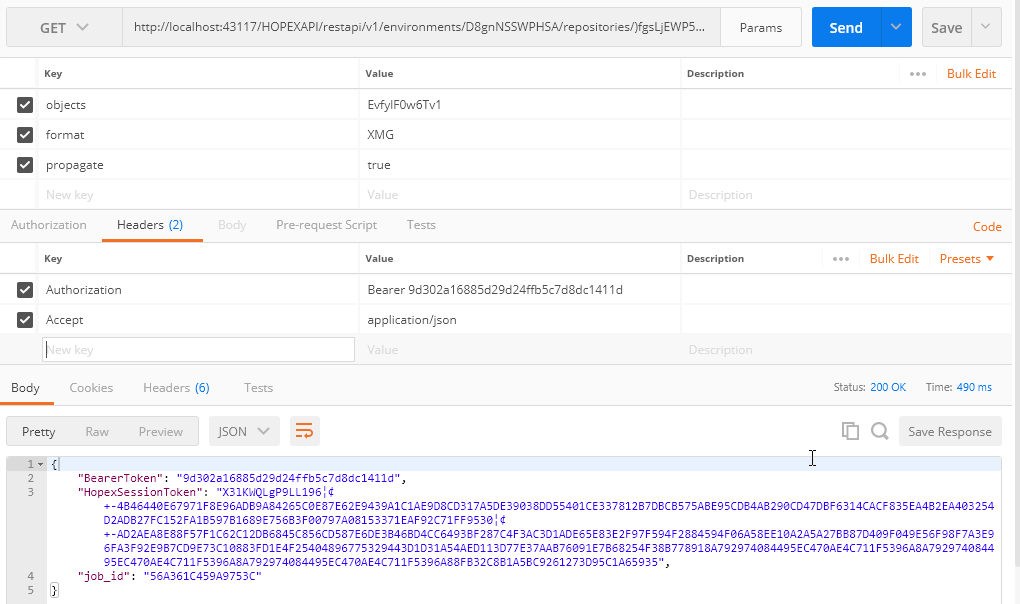
Pooling your process
As for the import asynchronous method, to pool your process you can call the endpoint.
URL
http://{serverUrl}/restapi/v1/environments/{env_id}/repositories/{repo_id}/profiles/{profile_id}/export/job/{job_id}
Result
The following responses are possible:
Response 1 (in progress){ "job_status": "RUNNING", "job_info": { "step":"Writing objects", "nb_objects_collected":102, "nb_objects_written":50, "time_ellapsed":4 "rejects": false }}
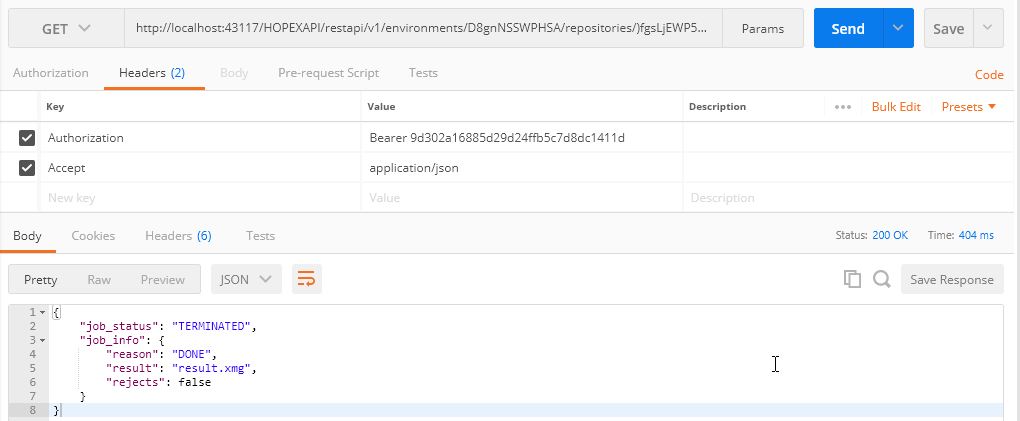
Response 2 (done){ "job_status": "TERMINATED", "job_info": { "reason": "DONE", "result": "result.xmg" "rejects": false }}
Response 3 (error){ "job_status": "TERMINATED", "job_info": { "reason": "ERROR", "errmsg": "Does not work!!!" "rejects": false }}
Example, if the Process is terminated:
Get the export result
URL
http://{serverUrl}/restapi/v1/environments/{env_id}/repositories/{repo_id}/profiles/{profile_id}/export/job/{job_id}/result
Result
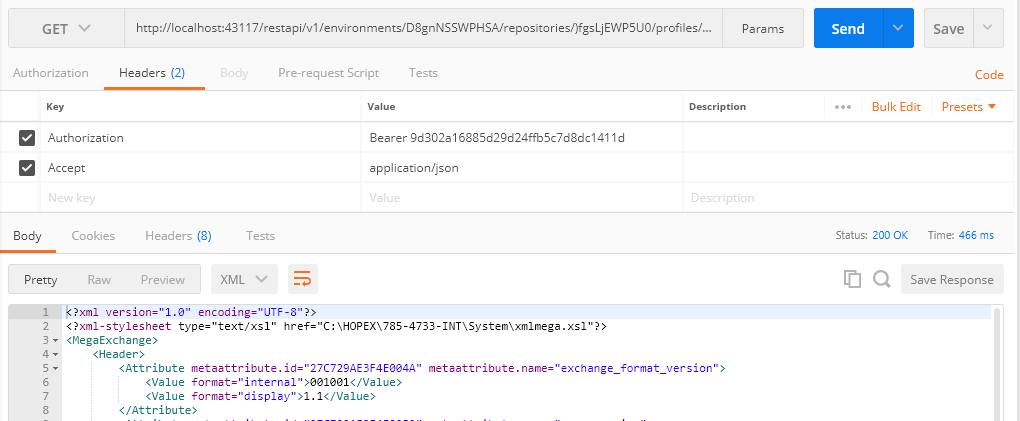
Note: The result is in XML Format.
Synchronous method
As for the Import web service, you can call the Export web service synchronously.
URL
http://<server>/restapi/v1/environments/<env_id>/repositories/<repo_id>/profiles/<prof_id>/syncexport?objects=<objects>&format=<format>&propagate=<propagate>
Where
Server is the server urlEnv_id is the environment idRepo_id is the repository idProf_id is the profile idQuerystring filter
|
Input
|
Description
|
Format
|
|
Parameters
|
objects
Root object list
type: string
values: list of coma separated object identifiers (base 64)
mandatory
format
export format (see standard export documentation)
type: string
possible values: “XMG”, “MGR”
mandatory
propagate
activate propagation (see standard export documentation)
type: boolean
optional (default: yes)
perimeter
perimeter identifier (see standard export documentation)
type: string (idabs base 64)
optional (default defined by default perimeter option)
export_transfered_objects
activate propagation objets transfer (see standard export documentation)
type: boolean
optional (default: yes)
continue_on_confidential
does not stop propagation in case of confidential object (see standard export documentation)
type: boolean
optional (default : false)
|
Parameters are set in the URL
|
Result
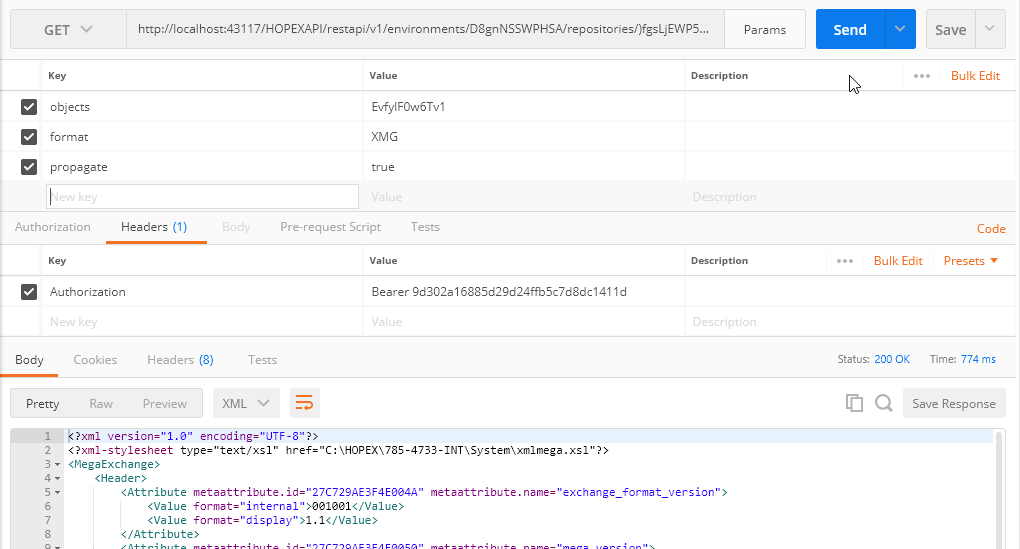
If the export is successful, you get the result in XML format.