Accessing your Notifications
In the main toolbar of your HOPEX desktop, a red dot indicates that you have unread notifications  .
.
.Your notifications are sorted by state:
• the notifications that you have not read
• the notifications that you have read
 To modify the state of a notification, see Modifying the State of a Notification.
To access your notifications:
1. In the HOPEX main toolbar, click  .
.
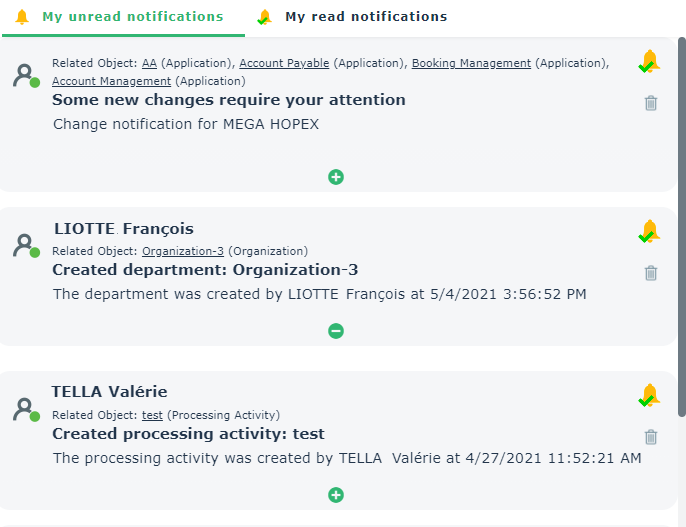
.The Browse edit area displays your unread notifications in creation order (with the most recent first).
To display your read notifications, click My read notifications.Each notification specifies:
• the person at the origin of the notification
• the HOPEX object associated with the notification
• the subject of the notification
• the date and time of transmission (GMT) of the notification
2. To display all the content of a notification, click  .
.
.Updates are displayed in chronological order.
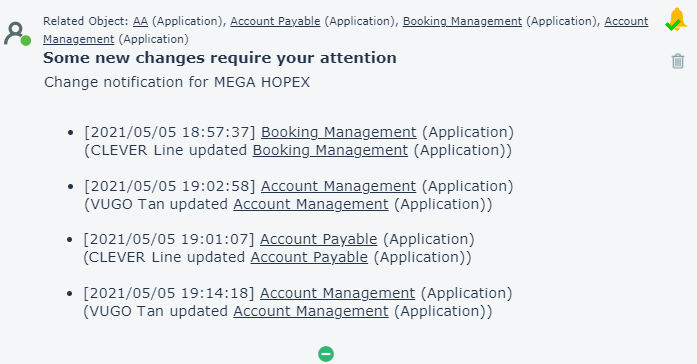
3. To access the properties of a modified object, click the name of the object.
The Properties window appears in the edit area and displays the properties of the modified object.