Question Types
Summary of Question Types
|
Question Types
|
Description
|
|
|---|---|---|
|
Single Input
|
This is an input text question enabling to display:
• Text
• Date
• Number
|
 |
|
Check Box
|
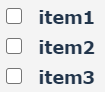
Used for Multiple Choices
|
 |
|
Radio Group
|
Single Choice Question
|
 |
|
Drop-down
|
Enables you to select an answer from a predefined list. For example: OK/NO/NA
|
 |
|
Comment
|
Multi-line text box
|
 |
|
Boolean
|
Boolean question
|
 |
|
Panel
|
Is a container element. Can contain several questions.
|
|
|
File
|
Is used to upload a file in the form of business documents.
|
 |
|
Object
|
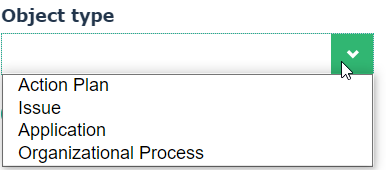
Is used to select multiple HOPEX objects.
In the right part of Questionnaire Builder, select an object type from the list of assessable object types.
 To add an object type to the default list, you may: To add an object type to the default list, you may:• connect the relevant MetaClass to the “Answered Element” MetaClass.
• regenerate the GraphQL Rest API schema applicable to assessments. For more information, see the video “Create custom schema”.
|
 |
|
Date
|
Is used to insert a date
You can also use the Single Input question type to insert a date. |
 |
|
Number
|
Is used to insert a number
You can also use the Single Input question type to insert a number. |
|
Using Panels
The Panel-type question is a question group. It enables you to:
• group questions together
You may drag & drop questions from the Questionnaire Builder tool box or drop existing questions.• create questions based on question motives that are specific to a trade (for example audit or testing).
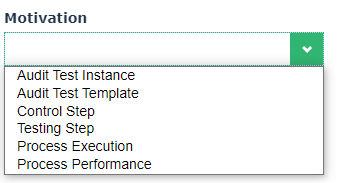
The "Motivation" list allows you to select the contexts of use of this panel, i.e. when questions specific to one of these types of objects must be inserted in the questionnaire (e.g. Control or test steps).