Dashboard and Widgets
Your dashboard enables you to add general or IRM-specific widgets.
To add widgets to your dashboard:
1. Click Dashboard.
2. Click the + sign to add a widget to your desktop.
3. Select a widget from the list.
The widget appears in your desktop.
Widgets for Action Plans
 Widgets for action plans are made available in all IRM solutions.
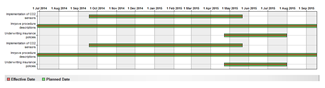
Action Plan Gantt Chart
This chart presents your action plans in the form of a Gantt chart.
Action plans by progress
This pie chart displays progress breakdown of “in progress” actions you are responsible for.
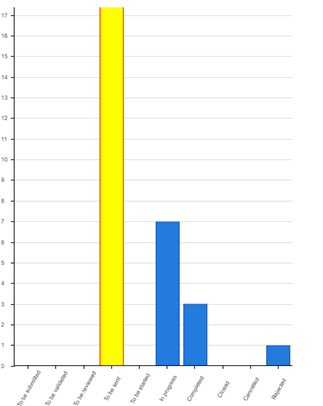
Action plans by status
This bar chart displays breakdown by status of actions plans you are responsible for.
• To start
• In progress
• Completed
Action plans by progress
This pie chart presents action plan breakdown according to their progress status.
• Delayed
• On Time
• No due date
• To be due within 30 days
• Canceled
• Closed
• Delayed
Action plan dashboard
This pie chart displays “delayed” and “on time” actions you are responsible for.
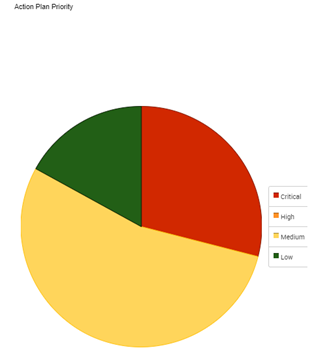
Action plans priority
This pie chart presents action plan breakdown according to their priority.
• Critical
• High
• Medium
• Low
Widgets specific to IRM
Risks by status: this pie chart displays breakdown by status for risks owned by the IRM contributor.
Widgets specific HOPEX Internal Audit