Audit Plan Follow-Up
HOPEX Internal Audit enables follow-up of audit plans according to different criteria.
Displaying Audit Plan Follow-Up Reports
Several reports enable audit plan execution follow-up.
To access audit plan reports:
1. Open the audit plan properties.
2. Select the Plan Reports page then one of the following reports:
Overview
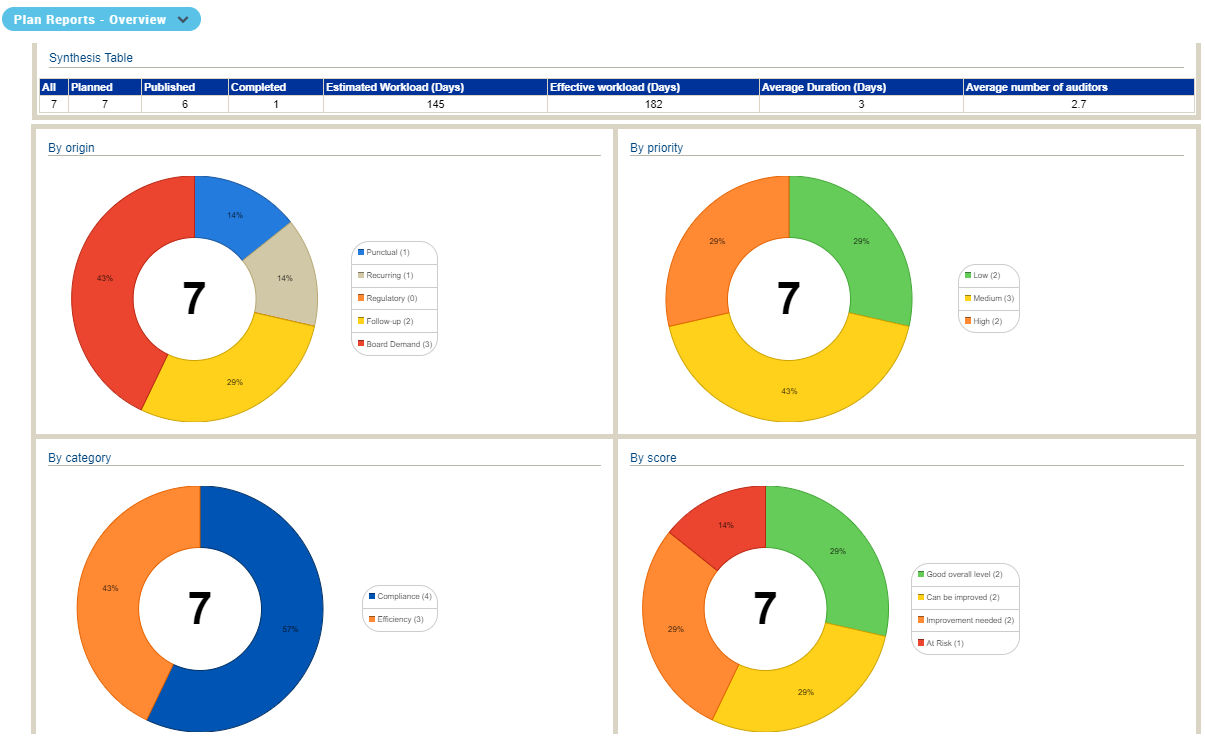
This report offers a summary of audit plan audits according to different criteria:
• Origin
• Priority
• Category
• Score
• Status
Workload and resources
This report compares planned/effective resources and workload for compliance and efficiency audits.
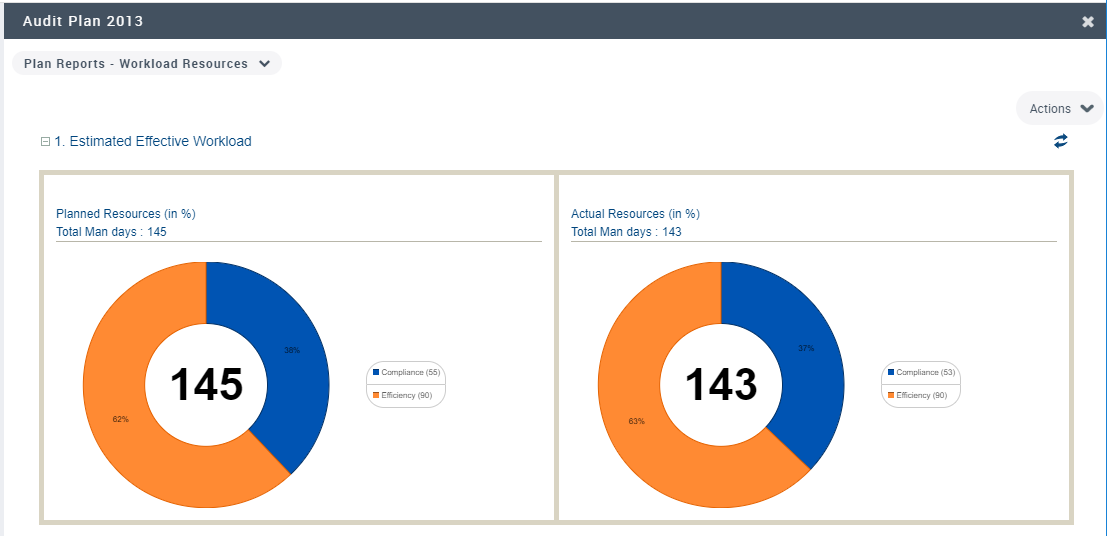
There are two types of audit:
• Compliance audits (to a standard such as SOX for example).
• Efficiency audits, which aim at improving enterprise operation independently of regulatory constraints.
Resources allocation
 Resources are auditors.
The diagram displayed in this report enables comparison of:
• available reports
• required resources
• assigned resources
Results show data of the current year. However you can display results for a specific time period.
Gantt report
The Gantt report comprises two parts:
• Audits planned between two dates
• The occupation of auditors on audits between selected dates.
Expenses
This report shows all expenses linked to a plan, as well as breakdown by expense category and by auditor.
It enables the director to plan future audits.
Closing Audit Plans
When all audit activities are completed, the audit director can close the audit plan.
The effect of this action is to close all audits in progress or that have not been canceled.