Describing Inter-Site Telecommunications Infrastructure
To provide an overview of the telecommunications between the different sites of a company, you need to produce diagrams with different levels of detail, showing the physical or virtual connections used to exchange information.
Descriptions can be made by successive refinements to the desired level of detail.
Example
Telecommunications Infrastructure
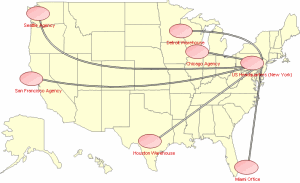
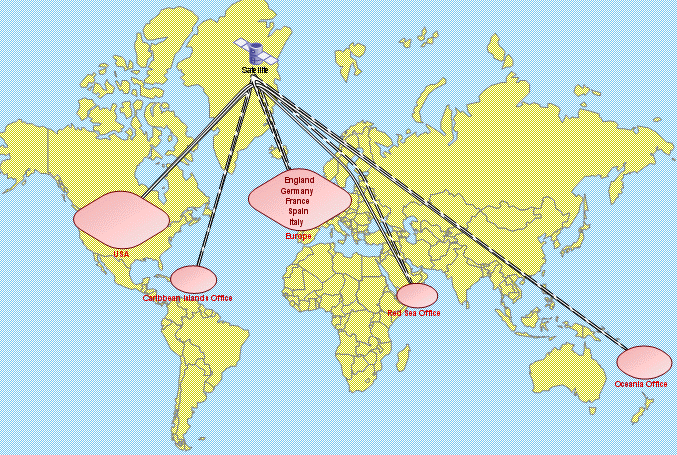
The IS manager at Voyages & Vacations has designed several diagrams providing an overview of the telecommunications infrastructure linking the different sites of the company.
The first diagram shows the methods of communication between Headquarters and the representation offices of Voyages & Vacations located outside the U.S.
The second diagram focuses on communications within the U.S., between the headquarters in New York and the travel agencies.
Consulting Existing Diagrams
To access the first map, you have to find its diagram from work already carried out by Voyages and Vacation IS Management and memorized in the repository.
To consult an existing diagram:
1. In the Main Objects navigation window, expand the Technical Infrastructures folder.
2. In the list, right-click the infrastructure and select Technical Infrastructure Diagram.
 Alternative Windows Front-End: double-click infrastructure ().
The diagram opens.
Inserting Graphic Elements in a Technical Infrastructure Diagram (Windows Front-End)
A background can be used to help understand the diagram.
Example: a world map.
To display or hide this background:
1. In the HOPEX menu bar (Windows Front-End), select View > Background.
Example
 MEGA Architecture on HOPEX proposes a certain number of common graphic objects you can use, and you can add new objects from an image library.
 You can also enhance a diagram using various graphic objects, imported by copy/paste.