Describing the Deliverables of an AD Project
Describing the deliverables of an AD project consists of defining the project scope and the list of applications and services that will be added or modified.
 A project deliverable defines the result of a project and its impact or its contribution to the architectural solution landscape of the enterprise.
Prerequisite
You must first define a work environment for a project in progress. See "The Current Design Project pane", page 21.
Defining the Application Scope of the Project
Application scope example
The "Equipment Purchasing" application is the main application impacted by the project, in particular for improvement of its access portal.
The "Stock Management" application is used by the "Inventory Management" application to view and update information on stock and in particular, spare parts.
The "Purchasing Management" application uses the "Catalog" database to send a purchase order.
The "Maintenance and Repair Management" and the "Spare Parts Management" applications will also use the "Equipment Purchasing" application portal.
Describing the project applications
To add an existing application to the list of applications included in the scope of the current project:
1. From the Current Design Project > Current Project Definition navigation pane, select Project Scope.
The list of applications impacted by the current project appears in the section Specified applications.
2. Click the New button.
The add Application project window appears.
3. In the Name field, select the application that you want to add and click OK.
The new applications appears in the list of applications impacted by the project.
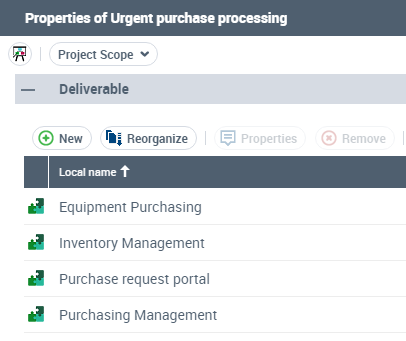
Describing the Results Produced by the Project
Accessing the list of results produced by the current project
To access the list of results produced by the current project:
 From the Current Design Project > Current Project Definition navigation pane, select Hierarchical View of the Project.
The list of deliverables expected by the current project appears in the Deliverables Produced file.
 The applications that make up the project scope are automatically added to the project results.
Adding a new project result
To specify that an existing object is a result for the current project:
1. From the Current Design Project > Current Project Definition navigation pane, select Project Scope.
The list of results expected by the current project appears in the Other Objects section.
2. Click the New button.
The add Project Result window appears.
3. In the Object Type field, select the type of result that you want to add.
4. In the Name field, select the object that you want to declare as a result and click OK.
The object appears in the list of project results.