Inserting Object Names in Comments
HOPEX enables you to insert object names in comments. This enables:
• Automatic creation of links in generated Web sites.
• Automatic refresh of object names in comments. If you insert the object names as a field, you will not need to update them manually in the comment.
You can for example select an object in the explorer to place it in a comment.
You can also insert an object in the comment window using the following button:
• (Windows Front-End) Insert Field 
• (Web Front-End) Insert Object in Text 
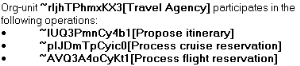
In Windows Front-End, to view the identifier of objects inserted in comments:
 In the object comment windows, click Hide/Show Fields.
To delete a field in a comment:
1. Click to view the field.
to view the field.2. Select the corresponding field code.
3. Delete the selected code.