Using Data Stores
Objects that are shared, supplied or used in processing can be stored in a data store.
 A data store provides a mechanism to update or consult data that will persist beyond the scope of the current process. It enables storage of input message flows, and their retransmission via one or several output message flows.
In the example below, data relating to suppliers is represented by the "Supplier Data" data store.
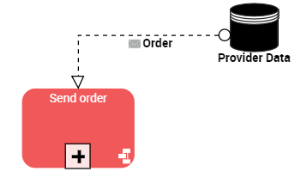
Creating a data store
To create a data store of processes:
1. Click the Data Store button in the insert toolbar.
 If the button is not visible by default, click the diagram Views and Details button and select the "Data Stores" view.
2. Click in the diagram to position the object.
The Add Data Store dialog box appears.
3. Enter the name of the Process data store.
4. Click OK.