FAQs
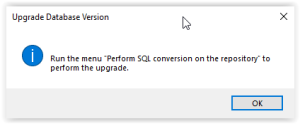
Warning 'Run the menu 'Perform SQL conversion on the repository' to perform the upgrade
This means that the format of tables in SQL Server must be converted.
You need to run a menu (Perform SQL conversion on the repository) from the Administration Console. See earlier in this document.
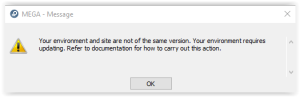
Warning 'Your environment and site are not of the same version. Your environment requires updating…'
This warning report that the system database is not up to date. This occurs if the programs have been updated and the environment has not/not yet been updated.
Warning 'Writing access diagram is not compiled…'
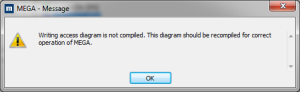
Certain actions can leave the writing access diagram (ex-User diagram/Authorization diagram) is in a state not compiled.
To compile the metamodel of the environment:
1. Start the Windows Administration Console (Administration.exe).
2. Select and open the environment to be converted with the login System.
3. Select the folder 'User management'
4. R click > Compile writing access diagram
5. Click Start to trigger the compilation
Wait until the processing is complete.
Wait until the processing is complete.
6. Click 'Close'
7. Exit the Windows Administration Console
How to run a specific conversion or utility?
It is now required to use the update wizard instead of triggering explicitly conversions.
It is still possible to run conversions or utilities.
Procedure for conversions:
1. Start the Windows Administration Console (Administration.exe).
2. Select and open the environment to be converted with the login System.
In the folder 'Repositories', select SystemDb or a data repository
In the folder 'Repositories', select SystemDb or a data repository
• R click > Conversions > Convert data into current version and select From HOPEX V2R1 data.
• Check the appropriate conversions.
See the table 'Conversion details', later in this document
See the table 'Conversion details', later in this document
• Click 'OK' to trigger the conversion
Wait until the conversion is complete
Wait until the conversion is complete
• Close the environment
3. Exit the Windows Administration Console.
Procedure for utilities:
1. Start the Windows Administration Console (Administration.exe).
2. Select and open the environment to be converted with the login System.
In the folder 'Repositories', select SystemDb or a data repository
In the folder 'Repositories', select SystemDb or a data repository
• R click > Utilities.
• Check the appropriate conversions.
See the table 'Conversion details', later in this document
See the table 'Conversion details', later in this document
• Click 'OK' to trigger the conversion
Wait until the conversion is complete
Wait until the conversion is complete
• Close the environment
3. Exit the Windows Administration Console.