PROCEDURE
General process
For each environment:
• Reorganize data repository first
• Reorganize system repository last
For each repository, it will be required to set:
• SQL Server Instance used
• SQL Server user/password used
Procedure
Run Administration.exe
Open environment
Select the repository to reorganize
R click > Reorganize
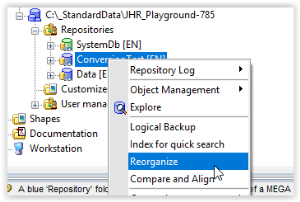
Configure window (Reorganize Repository (XX)
a) Set Logs of objects (keep log, delete log, delete log order than date) according to decision
b) Keep backup file checked
c) Select target storage support SQL Server
Example
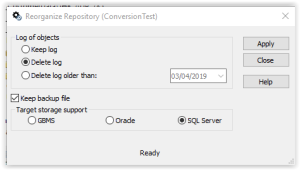
Click Apply
Set Connection parameters
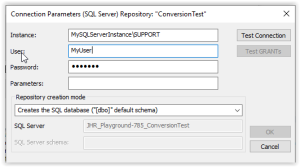
Click button 'Test Connection'
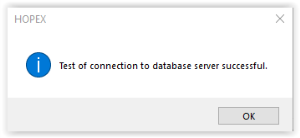
Click OK
Click button 'Test GRANTs'

Click OK
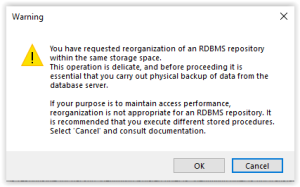
Click OK to confirm
Note that reorganization in appropriate in this situation even if the following warning can create a doubt.
If your purpose is to maintain access performances, reorganization is not appropriate for an RDBMS repository
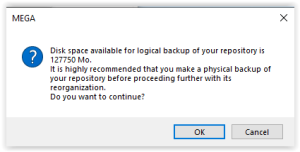
Click 'OK' to confirm
Process starts. Note that it goes through 2 mains steps:
• Logical backup
• Import
Wait until process ends. The following windows should be displayed.
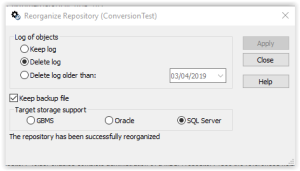
Check message, ex 'The repository has been successfully reorganized'
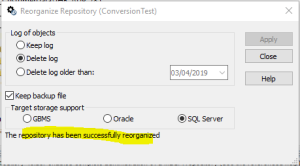
Click button 'Close'
For more details, see only documentation, reorganization feature
HOPEX Administration: Administrator Guide : Managing Repositories : Managing Repositories : Reorganizing an RDBMS Repository