Generating the Business Capability Map of a Portfolio
A business capability map reflects the functional coverage of existing application assets. For more details, see Defining Business Capabilities.
To generate a business capability map from a portfolio:
1. Select the portfolio concerned and, in the command bar associated with the edit area, click Properties.
2. The portfolio properties appear.
3. Click the drop-down list then Reporting > Business Capability Map.
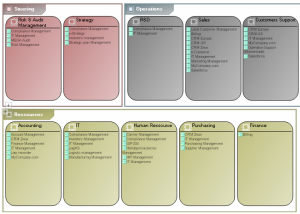
The diagram positions the portfolio applications in the areas that represent business capabilities. It therefore reflects the functional coverage of portfolio applications.
 For more information on Business Capability Maps, see Defining Business Capabilities.
From this diagram a report is generated presenting the functional coverage changes of an application portfolio over time. See also Analyzing an inventory portfolio.
Example of a business capability map example