Interface Presentation
 For more details on general interface and features, HOPEX , see "The HOPEX Web Front-End desktop", page 31.
Functional administrator space
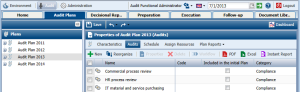
The functional administrator has three desktops:
• Administration desktop: reserved for the Functional Administrator and Audit Director, enables definition of users, their roles and skills.
• Environment desktop: reserved for the Functional Administrator, enables definition of the audit work environment.
The Environment desktop is common to HOPEX Enterprise Risk Management, HOPEX Internal Audit, HOPEX Internal Control and HOPEX IT Portfolio Management solutions.• Audit desktop: visible to the Functional Administrator and Audit Director, it presents several navigation tabs corresponding to different audit process steps:
• Home: this tab displays objects for which the user is responsible (work program, tasks to be executed, etc.).
• Audit Plans: this tab gives access to all audit plans and their audits.
• Decisional Reports: reports on past audits and audited objects offer the Audit Director and Administrator a view on future audits. See Selecting Audits To Be Executed.
• Preparation: tab on preparation of the audit from which the Administrator or Audit Director can create audit plans and audits and define calendars.
• Execution: this tab classifies audits according to their status (published, in progress, past, etc.).
• Follow-Up: the follow-up tab concerns follow-up of recommendations following execution of audits by auditees.
• Document Library: displays audit deliverables (notification letters, detailed reports, etc.).
Audit director space
The audit director has two desktops:
• Administration desktop: reserved for the Functional Administrator and Audit Director, enables definition of users, their roles and skills.
• Audit desktop: visible to the Functional Administrator and Audit Director, it presents several navigation tabs corresponding to different audit process steps:
• Audit plans
• Decisional Reports
• Preparation
• Execution
• Follow-Up
• Document Library
For more details see Audit desktop in Functional administrator space.
Auditor space
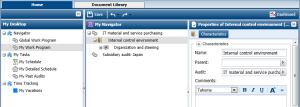
The auditor, like the recommendation owner, has the Home tab, which presents objects for which he/she is responsible.
Action owner space
The action owner has the Action Plan tab, which displays actions for which he/she is responsible.
As a business user, you may also connect with the “GRC Contributor (Lite) profile”. For more details on this profile common to all GRC solutions, see The GRC Contributor Desktop.