Creating Audit Plans
The audit plan is prepared by the audit director.
The audit plan is generally defined on a period of one year. This plan contains all audits to be executed in the year.
 The audit plan is a description of the expected scope and conduct of the audit. It is carried out in accordance with auditing standards and practices. It comprises a description of the audit approach and the planning schedule. It comprises several audits carried out during a given period.
Creating Audit Plans
To create an audit plan:
1. In Audit > Preparation, click the Audit Plans folder in the navigator.
2. In the edit window that appears, click the New button.
The new audit plan appears.
3. Select the audit plan and click the Properties button.
4. In its properties, select the Characteristics tab.
5. Modify if necessary the Name of the audit plan.
6. Select the Calendar of the audit plan.
7. Indicate a Begin Date and End Date for the audit plan.
The Status is defined automatically by the audit workflow.
8. Click Save.
The audit plan is created.
You can now create audits directly in the audit plan page.
Displaying the Audit Plans Tree
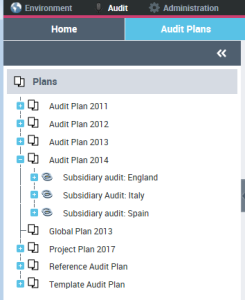
The Audit Plan navigation pane allows the Audit Director to rapidly view all audit plans and their associated audits.