BPMN Import Overview
The Business Process Modeling and Notation (BPMN) is a graphical representation for specifying processes. This design can be serialized into an xml file that supports the BPMN objects and diagrams. Each process is serialized into a bpmn file.
The MEGA BPMN import aims at importing workflow definitions from BPMN files so that workflows modeled in other BPMN modeling tools or workflow engines can be used by MEGA.
Prerequisites
The BPMN import feature is available with MEGA Process BPMN and MEGA System BluePrint, and supports BPMN version 2.0.
Source BPMN Tools
It should be possible to import BPMN data and diagrams from Tibco, Bonita, Yaoqiang BPMN, Joinwork Process and IBM BlueWorks.
Activate/Deactivate BPMN Import
The BPMN import feature can be activated or deactivated for a user, a profile, an environment, or a site. This can be done using the corresponding option:

Scope of BPMN Import
The purpose of BPMN import is to import a MEGA Process into a BPMN file.
The tool handles translation of BPMN processes into the one of the following process types in MEGA:
• System Processes
• Organizational Processes
• Functional Processes
The list of supported mappings is detailed below. See Object Correspondences.
Importing BPMN Files
To import a BPMN file from MEGA:
1. In MEGA, select File > Import > BPMN 2.0 (*.bpmn).

The import dialog box appears.
2. Select the type of object you want to import, for example System Process, and click Next.
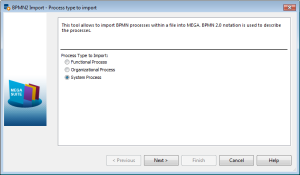
Nb : System Process is the default value.
3. Specify the path of the file to be imported.
4. Click Next.
A window shows progression and report of the import.
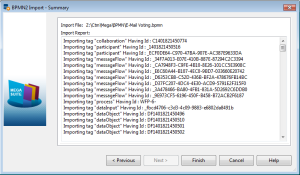
5. Click Finish.
The diagram containing the description of the BPMN concepts opens.