Positioning a Participant in a Swimlane
The swimlane is a tool that enables graphical presentation of certain diagram types. Objects arranged in swimlanes automatically take the same dimensions and are aligned.
To create a swimlane and place in it the participants you have just created:
1. In the insert tool bar, click the Vertical Pool button 
2. Click on the diagram.
The swimlane is created.
3. Drag the participant into the swimlane holding the mouse button down.
4. Release the button when the swimlane frame and the described process are highlighted.
 If the process frame does not appear highlighted, the participant is considered as external to the process.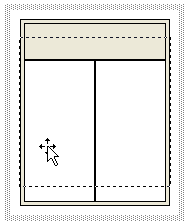
The swimlane adapts to the size of the participant.
For more details on swimlanes, see "Using swimlanes" in "Handling HOPEX MEGA Objects" in HOPEX Common Features.