Creating an Operation on a Participant
To create an operation and connect it to the participant responsible for its execution:
1. Click the Operation button  in the insert toolbar and click in the diagram within the frame of the participant concerned.
in the insert toolbar and click in the diagram within the frame of the participant concerned.The operation creation dialog box appears.
2. Enter the name of the operation.
3. Click OK.
To assign an operation to another participant:
 Select the operation and move it from one participant to the other.
The frame of the destination participant is highlighted.
 When positioned, the operation is disconnected from the initial participant and reconnected to the new participant executing the operation.
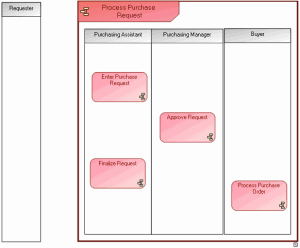
Operations example