Creating a Data Object
To create a data object:
1. Click the Data Object  button in the diagram insert toolbar.
button in the diagram insert toolbar.2. Click in the diagram to position the object.
The Create Data Object dialog box appears.
3. Click the arrow at the right of the Content field and select Connect Content.
The query dialog box appears.
4. Enter the name of the content, for example "Stock Data" , or directly click the Find button  to display all repository contents.
to display all repository contents.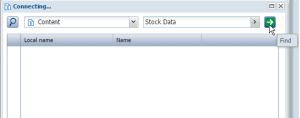
5. Select the content in the results and click the Connect button.
 A content can be used by several data objects.
6. Enter Data Object State if required.
By default the data object carries the same name as its content. The state appears between brackets.7. Click OK.
The data object appears in the diagram.