The System Landscape Attributes of a SolMan Project
You can define SAP Components that define a System Landscape from the System Landscape properties window. This window can be accessed from the SolMan project.
To define SAP Components that define a System Landscape:
1. Acess a SolMan project.
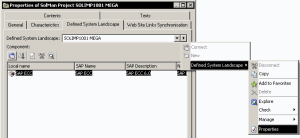
3. Right-click the SolMan project and in the pop-up menu that appears, click Properties.
4. In the properties window of the project, select the Defined System Landscape tab.
5. To the right of "Defined System Landscape" field, click the arrow

and select
Defined System Landscape > Properties.
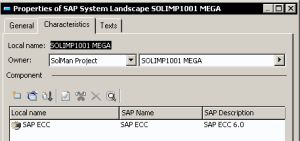
The Properties window of the SAP System Landscape appears.
Components that define the System Landscape are displayed in this window.

It is highly recommended that you neither add nor delete SAP Components in HOPEX. This should be done in SAP Solution Manager. During the next synchronization the System Landscape in
HOPEX is aligned with the System Landscape updated in SAP Solution Manager.