Viewing SolMan Projects in HOPEX
Accessing SolMan projects
To view SolMan projects:

In
HOPEX Windows Front-End desktop select
Navigation Windows > Solution Manager.
In
HOPEX Web Front-End Enterprise Architect desktop, from the main navigation menu select
Solution Manager.
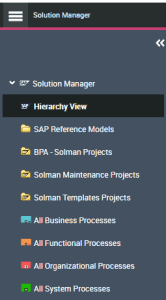
The "Solution Manager" navigation page appears.
The Hierarchy View displays the repository in which you are working.
Contents of the Hierarchy View
All the projects created during imports can be found in a folder of the Solution Manager navigation window. The folder depends on the type of projects imported. Three types of projects are available:
• Implementation Projects
• Maintenance Projects
• Template Projects

Below is described the hierarchy of implementation projects. The same hierarchy applies to maintenance projects and template projects.
To access data from imports:
Expand the folder corresponding to the type of project imported then the project folder required to view the hierarchy.
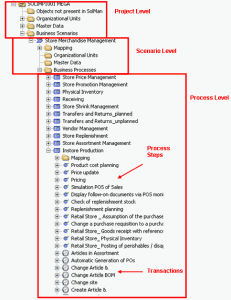
The hierarchy represented here reflects what is actually managed in the corresponding view of SAP Solution Manager.
The objects managed are:
• SolMan Projects
• SolMan Organizational Units
• SolMan Master Data
• SolMan Scenarios
• SolMan Processes
• SolMan Process Steps
• SolMan Transactions
The displayed hierarchy is almost the same as that displayed in SAP Solution Manager except that transactions are displayed here.
The icons corresponding to the different objects in an SAP Project are displayed in the table below.
Object type | Icon | Owner object |
Scenario | | Project |
Organizational Unit | | Project , Scenario |
Master Data | | Project, Scenario |
Process | | Scenario |
Process Step | | Process |
Transaction | | Process Step, Process, Organizational Unit, Master data |