Importing Solution Packs
As a standard the HOPEX NAF is delivered with certain solution packs that can be imported to enhance the architecture descriptions and analyses.
Preparing Files for Import
The solution packs are delivered in compressed files and must be decompressed before they can be imported into a repository.
Three compressed files provide the NAF solution packs:
• NAF (NAF.exe): contains the "Metamodel Customization" (metamodel renaming), "Sample" and "Data" solution packs.
• HOPEX Architecture (Hopex.exe): contains the "HOPEX Architecture framework".
• Military Terms (Military Terms.exe): contains the Military Terms Dictionary.
To decompress a compressed file:
1. In your HOPEX installation folder open the Utilities then the Solution Pack or Solution Pack.R3 folders.
2. Double-click the compressed file, for example NAF.exe.
3. In the dialog box that opens click Extract.
The dialog box closes and the solution pack files are extracted to the Solution Pack folder.
To import solution pack, see "Importing a Solution Pack", page 325.
Metamodel Customizations
The
HOPEX Modeling tool comes with its own set of concepts and vocabulary. To minimize the differences between the names of concepts in this tool and in the
HOPEX NAF, a, solution pack can be imported into
HOPEX that renames certain concepts using the NAF vocabulary. This renaming is only done in English. To retrieve the list of renamed terms, refer to the paragraph
"MEGA Metamodel Renaming", page 280.
Using the Military Terms Dictionary
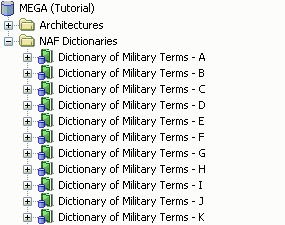
A dictionary is provided with the 2009 version of the HOPEX Modeling suite. The dictionary contains:
• Over 6000 terms with their definitions. These terms are all approved by the Department of Defense (DoD) and some of them (approx. 50%) are also approved by NATO.
• Over 6000 acronyms used within the context of DoD projects.
Before you can access this dictionary from the NAF navigation window you must first import it into the HOPEX interface from the HOPEX Administration application.
After import, the DoD dictionary is instantly available in the NAF navigation window of the HOPEX application.
HOPEX Architecture Framework
HOPEX Architecture framework has been created with a list of pre-existing artifacts and provided as an add-on.

An artifact is any material item of a system that is neither software or an organizational unit (where organizations are people). Depending on the context and user preferences, artifacts can be represented as platforms, components and any physical item that occupies space and has attributes.
Artifacts are normally used within the context of architecture modeling to represent all the non-human components of an architecture. This concept is usually delivered with the HOPEX Architecture product, however, it can also be useful for NAF which deals to some extent with infrastructure modeling.
The HOPEX Architecture framework also gives access to communication protocols and resource architectures.
A resource architecture is a set of material and organizational resources required for a system. It describes the interactions between components and their means of communication. It also indicates the service ports necessary for allowing users to connect and integrate with it. This architecture can be modeled in a resource architecture diargam and usually contains sub-architectures, equipment and human resources.
To access these elements in your working repository you must import the HOPEX Architecture framework.
Viewing artifacts and resource architectures
If after importing the HOPEX Architecture framework you are unable to access artifacts and resource architectures, you will need to activate the "Business Process and Architecture Modeling / Infrastructure Modeling post-2009 SP2" option in the HOPEX Options.
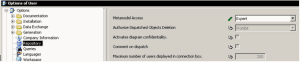
You should also ensure that you have Expert level access to the metamodel (Tools > Options > Repository > Metamodel Acess > Expert)