HOPEX Power Studio (EN) : Customizing Diagrams : MEGA Shapes Programming : Examples
   
Examples
 
Shape With Fixed Size Object
Shape With Calculated Field
Shape With Pictogram
Shape With Calculated Field and Pictogram Juxtaposed
Column Shape
Shape With Title Below
Shape With Fixed Size Object
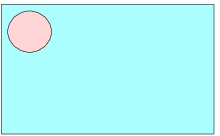
The aim is to retain the size and position of circle &Circle&, whatever the size of the shape.
To fix dimensions of the fixed size object:
Shape.&Circle&.width=140

Shape.&Circle&.height=140
To freeze its position must be added:
Shape.&Circle&.top = Shape.top + 20

Shape.&Circle&.left = Shape.left + 20
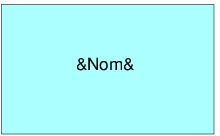
Shape With Calculated Field
 
'---Constant---
CX_SPACE=10
CY_SPACE=10


'---Shape width--- (at minimum the width required to display text)
Shape.width=Max(Shape.width, Nom.width +2*CX_SPACE)

'---Fields width--- (field size is readapted to shape size)
Nom.width=Shape.width-2*CX_SPACE

'---Shape width--- (at minimum the height required to display text)
Shape.height=Max(Shape.height, Nom.height +2*CY_SPACE)

'---Objects Position---
Nom.hCenter = Shape.hCenter
Nom.vCenter = Shape.vCenter
Shape With Pictogram
 
 
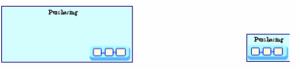
The pictogram should remain at bottom right and at fixed size.
 
'---Constant---
CX_SPACE = 10
CY_SPACE = 10


'---Fixed size object---
Shape.&Pict&.width = 2
Shape.&Pict&.height = 1

'--- Shape width ---
Shape.width = Max ( Shape.width, Max( Nom.width, Shape.&Pict&.width) + 2*CX_SPACE)

'--- Fields width ---
Nom.width = Shape.width - 2 * CX_SPACE

'--- Shape height ---
Shape.height = Max ( Shape.height, Nom.height + Shape.&Pict&.height + 3 * CY_SPACE)

'---Objects Position---
Nom.left = Shape.left + CX_SPACE
Nom.top = Shape.top + CY_SPACE

Shape.&Pict&.right = Shape.right - CX_SPACE
Shape.&Pict&.bottom = Shape.bottom - CY_SPACE
 
Shape With Calculated Field and Pictogram Juxtaposed
The pictogram should remain at bottom right and at fixed size.
The calculated field &Duration& and the pictogram should not overlap.
 
'---Constant---
CX_SPACE = 10
CY_SPACE = 10

'---Graphics size---
Shape.&Pict&.width = 70
Shape.&Pict&.height = 35

'--- Shape width ---
Shape.width = max ( shape.width, Nom.width + 2*CX_SPACE ,
Duration.width + Shape.&Pict&.width + 3*CX_SPACE)

'--- Fields width ---
Nom.width = Shape.width - 2 * CX_SPACE
Duration.width = Shape.width - Shape.&Pict&.width - 3*CX_SPACE

'--- Shape height ---
Shape.height =max(Shape.Height , Nom.Height+shape.&Pict&.height
+3*CY_SPACE, Nom.Height + Duration.height + 3*CY_SPACE )

'---Objects Position---
Nom.left = Shape.left + CX_SPACE
Nom.top = Shape.top + CY_SPACE

Shape.&Pict&.right = Shape.right - CX_SPACE
Shape.&Pict&.bottom = Shape.bottom - CY_SPACE

Duration.left = Shape.left + CX_SPACE
Duration.bottom = Shape.bottom - CY_SPACE
Column Shape
 
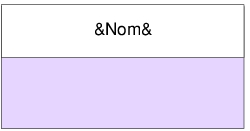
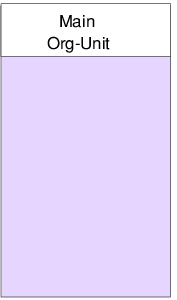
The white rectangle is named &TitleRect&, it should frame the name and retain its fixed size when the shape is elongated downwards. (shape type used to represent org-units in flowcharts)
 
'---Constant---
CX_SPACE=10
CY_SPACE=10

'--- Shape width ---
Shape.width=Max(Shape.width,Nom.width+2*CX_SPACE)

'--- Fields width ---
Nom.width=Shape.width-2*CX_SPACE

'--- Shape height ---
Shape.height=Max(Shape.height,Nom.height+4*CY_SPACE)


'--- Graphics Size---
Shape.&TitleRect&.height=Nom.height+2*CY_SPACE
Shape.&TitleRect&.width=Shape.width

'---Objects Position---
Shape.&TitleRect&.left=Shape.left
Shape.&TitleRect&.top=Shape.top
Nom.hCenter=Shape.&TitleRect&.hCenter
Nom.vCenter=Shape.&TitleRect&.vCenter
 
Shape With Title Below
In this example, the calculated field is outside the shape. This is a use case of the "Object" virtual object.
 
'---Constant---
CY_SPACE = 10

'---Shape size---
Shape.width = Shape.default.width
Shape.height = Shape.default.height

'---Object width---
Object.width = Max(Nom.width, Object.width, Shape.width)

'--- Fields width ---
Nom.width = Object.width

'---Objects Position---
Nom.left = Object.left
Nom.top = Shape.bottom + CY_SPACE
Shape.top = Object.top
Shape.hCenter = Object.hCenter
Here we must also place the shape object within the Object object.
Note: Object is recalculated after shape code application (smallest rectangle containing calculated fields and Shape).