FAQs
Warning 'You cannot access repository "XXX". Its internal structure is not up to date. Run the menu "Technical Conversion" to perform the upgrade'
With specific version upgrades, the technical format of the repository can change. As explained, you need to run a menu technical conversion from the Administration Console. See the section 'Upgrading the system database and data repositories' earlier in this document.
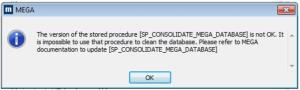
Warning 'The version of the stored procedure XX is not OK…'
With specific version upgrades, the technical format of the repository can change and stored procedures need to be reinitialized. See the section 'Update stored procedures' earlier in this document.
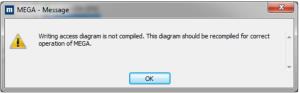
Warning 'Writing access diagram is not compiled…'
Certain actions can leave the writing access diagram (ex-User diagram/Authorization diagram) is in a state not compiled.
To compile the metamodel of the environment:
1. Start the Windows Administration Console (Administration.exe).
2. Select and open the environment to be converted with the login System.
3. Select the folder 'User management'
4. R click > Compile writing access diagram
5. Click Start to trigger the compilation
Wait until the processing is complete.
6. Click 'Close'
7. Exit the Windows Administration Console