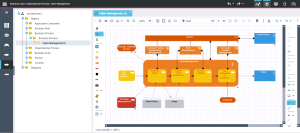
HOPEX Archimate Desktop Presentation
 HOPEX Archimate
 is mainly intended for web users. Desktops described in this guide are accessible only to Web desktop users.
Connecting to the Solution
To connect to HOPEX Archimate, see "The MEGA Desktop", page 27.
The HOPEX Archimate Desktop
The menus and commands available in HOPEX Archimate depend on the profile with which you are connected.
For more details on using the Web platform for HOPEX solutions, see the HOPEX Common Features guide.
For more details on the method used to connect a user to a desktop, see "Link a user to an enterprise plan", page 36.
Dynamic interface presentation
HOPEX Archimate provides "viewpoint" oriented desktop which has been specifically fine-tuned for ArchiMate.
The
HOPEX Archimate is primarily intended for web client usage; the ArchiMate viewpoint desktop presented here is only available as a web desktop.
The desktop entry point is a new "Architecture" concept which gathers objects of interest for a user or a set of users; an Architecture is created according to a Framework, and the Architecture elements can be browsed according to defined Viewpoints.
Creating an Architecture object according to the ArchiMate Framework is a pre requisite to using the viewpoint oriented desktop.
Each viewpoint is associated with diagram types, report types and metaclasses which are of interest for the viewpoint, enabling the user to easily access a given diagram and to easily enable drag and drop of relevant objects on this diagram.
HOPEX Archimate viewpoint web desktop
Presentation of space common to all roles
All users have access to the HOPEX Archimate desktop and access to the following panes:
• Home and To-Do-List that are common to all HOPEX solution users.
• Reports: accesses all reports, improving understanding of terms and their use.
Each Architecture View contains the same elements.
• An Objects folder, where the various objects relevant for a given viewpoint is entitled to; basically all the inventory objects candidate to be used in a view diagram (e.g. Business Actor can be reused across Business Process Viewpoint diagrams) should be available. Contextual objects (e.g. a "Business Activity" of a Business Process) are available only in the diagram toolbar
• Main objects of a viewpoint may be described by a diagram which has been defined as creatable in a given viewpoint (e.g. "Business Process" can be described by a "Business Process Viewpoint diagram" in a "Business Process viewpoint" view)
• When an Object can be described by several diagrams (e.g. Org Process can be described by a "Org Process Viewpoint Diagram" and an "Application Usage Viewpoint Diagram")
• If an object is already described by a diagram (e.g. a Business Actor by an "Organization Viewpoint diagram")
• A My Objects folder, where user-defined and view-specific sub folders can be created to gather several objects.
• A Diagrams folder, where all the diagrams of the allowed type for the view are available and may be opened (note that new diagrams can be created only from their described object).
• A Documentation folder, where all the generated reports of the allowed report template type in the currently browsed viewpoint can be found.
Presenting the Archimate Enterprise Architect space
The Archimate Enterprise Architect manages architecture projects. Can create ArchiMate architecture projects, and assign these to users: business architects and business specialists for example.
The Archimate Enterprise Architect is responsible for execution of the following tasks:
• ArchiMate Architectures creation.
• Assignment of participants to ArchiMate Architecture.
In addition to the panes offered in standard mode to all HOPEX Archimate desktop users, the Archimate Enterprise Architect has access to the following panes:
• the Environment pane extended to Librairies and Tools navigation menus,
• the Business Layer pane extended to Organization, Actor Co-operation, Business Function, Business Process, Organization Process and Product navigation menus,
• the Application Layer pane extended to Application Behavior, Application Co-operation, Application Structure and Application Usage navigation menus,
• the Technology Layer pane extended to Node Infrastructure and Device Infrastructure navigation menus,
• the Cross Layer pane extended to Information Structure and Service Realization navigation menus.
Presenting the Archimate Business Architect space
The Archimate Business Architect has only the To-Do-List, Reports and Business Layer tabs.
The Business Layer pane provides access to the following navigation menus:
• Organization,
• Actor Co-operation,
• Business Function,
• Business Process,
• Organization Process,
• Product.
Presenting the Archimate Application Architect space
The Archimate Application Architect has only the To-Do-List, Reports and Application Layer tabs.
The Application Layer pane provides access to the following menus.
• Application Behavior,
• Application Co-operation,
• Application Structure,
• Application Usage.
Presenting the Archimate Technology Architect space
The Archimate Technology Architect has only the To-Do-List, Reports and Technology Layer tabs.
The Technology Layer pane provides access to the following menus.
• Node Infrastructue,
• Device Infrastructue.
Presenting the Archimate Functional Administrator space
The Archimate Functional Administrator has rights on all objects and Architectures.
Prepares the work environment and creates elements required for management of projects.
Manages:
• Architectures.
• Users, assignment of profiles and access rights to the different project steps.
In addition, the Archimate Functional Administrator profile, he has access to the Administration pane.