Extend HOPEX Server Supervisor functionalities
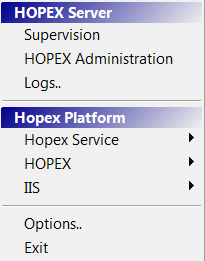
By default, at HOPEX installation, Hopex Server Supervisor menus are minimum.
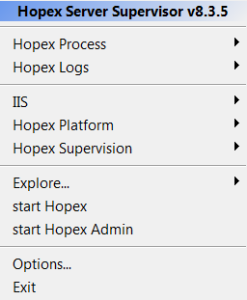
To extend access to Hopex Server Supervisor functionalities:
1. In your workstation system tray, right-click
Hopex Server Supervisor 
.
2. Click

.
The Command field is displayed.
3. Enter "swl 1" and press "Enter".
All of Hopex Server Supervisor functionalities are available.

To come back to a minimum display, perform step
2, enter "swm" and press "Enter".