Creating sub-packages
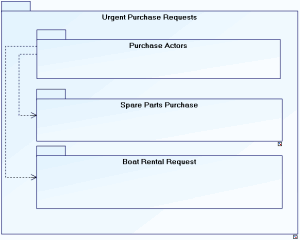
You can create sub-packages in a package to classify objects in finer detail, for example actors of a project
Urgent purchase requests are provided to process purchase of spare parts and boat rental requests. In both of these cases, users are actors of the purchasing domain.

For more details on the use of packages, see the
HOPEX UML guide.
You can create sub-packages:
• from the pop-up menu of the package
• or from a package diagram.
To create a sub-package from a package pop-up menu:
1. Right-click the package to open its pop-up menu and select New > Package.
The create package dialog box appears.
2. Specify the package name and click OK.
Expand the package folder to view the sub-package you have just created.