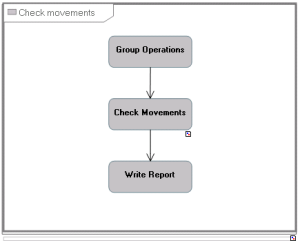
Creating a batch program structure diagram

A program is an elementary stage in execution of a batch processing that consists of running execution of a program using the appropriate parameters.
Creating a batch program structure diagram
The sequencing of the processes of a program can be described in a batch program structure diagram.
To create the batch program structure diagram:
1. Right-click the program in question and select New Diagram.
The diagram creation dialog box opens.
2. Select batch program structure diagram. Check that you have selected the Initialize the diagram option before clicking Create.
The diagram opens.
Adding a programming call to the diagram
The components of an program are defined with programming calls that are positioned in the diagram.
To add a component to a diagram:
1. Select Programming Call and click in the diagram.
The Add a Programming Call dialog box opens.
2. Click the arrow at the right of the Batch Process Called box and select Connect in the drop-down list.
A connection dialog box opens.
3. Select Program in the left part of the window and click the search arrow.
The list of batch plans appears.
4. Select the program in question and click Connect.
5. Click OK.
The program call appears in the diagram.