HOPEX Business Process Analysis Desktop Presentation
The menus and commands available in HOPEX Business Process Analysis depend on the profile with which you are connected.

For more details on using the Web platform for HOPEX solutions, see the
HOPEX Common Features guide.
HOPEX Business Process Analysis is mainly intended for web users. Desktops described in this guide are accessible to Web desktop users.
Presentation of space common to all profiles
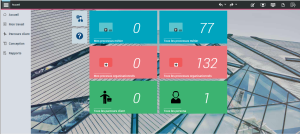
All users have access to the HOPEX Business Process Analysis desktop and access to the following panes:
• Home and List of Tasks that are common to all HOPEX solution users.
• Design : gives access to all the process models described.
• Customer journey: gives access to the mapping of the customer journey if you have the HOPEX Customer Journey module.
• Reports: accesses all reports, improving understanding of terms and their use.
Presenting the Process Viewer space
Users connected with the Process viewer profile have access to the Enterprise Architecture desktop for HOPEX solutions via the HOPEX Explorer application.
Presenting the Process Designer space (basic)
Users connected with the Process designer (basic) profile have access to the panes offered in standard mode to all users of the HOPEX Business Process Analysis desktop.
Overview of the Process Designer and the Process Risk Designer space
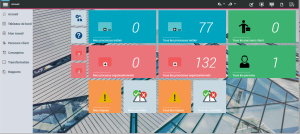
In addition to the panes offered in standard mode to all users of the HOPEX Business Process Analysis desktop, the process designer has access to the Transformation pane which gives access to all the phases and all the steps of each of its projects.
Overview of the Process Functional Administrator and the Process Manager space
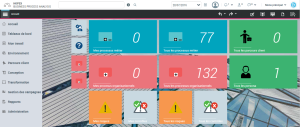
In addition to the panes offered in standard mode to all HOPEX Business Process Analysis desktop users, the users connected to one or the other of these profiles have access to the following panes:
• Environment , for managing libraries;
• Transformation, which gives access, at a minimum, to the project management facilities;
• Campaign management , which gives access to the assessment facilities;
• Administration, which gives access to user management facilities.