Describing Exchange Message Flows
Content of the exchange is described by message flows and their content which are exchanged between the two roles representing the stakeholders in the conversation.

A message flow is information flowing within an enterprise or exchanged between the enterprise and its business environment. A message flow can carry a content.
A content designates the content of a message flow or message, independently of its structure. A content may be used by several message flows or messages, since it is not associated with a sender or with a recipient.
To describe message flows exchanged:
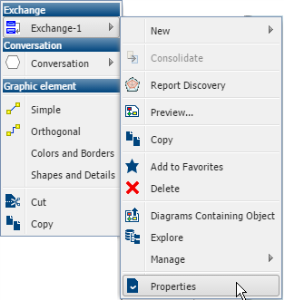
1. Right-click the conversation containing the exchange.
2. In the pop-up menu of the exchange, click Properties.
3. Select the Message Flows tab.
4. Click the New button.
The Creation of Message Flows With Content dialog box opens.
5. From the Content drop-down list, select the content you wish to associate with the message flow.
The message flow with its content is displayed in the list of conversation contents.

You can associate several contents with the message flow.
6. Specify the direction of each message flow.
7. Click OK.