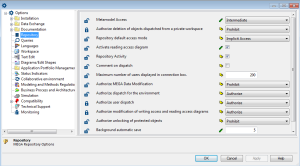
Option Window Presentation
The left pane of the window contains the various option groups. It comprises two parts:
• options available for the site, environment, profile, and user
• options specific to the workstation
The right pane enables configuration of the various options corresponding to the group selected in the left pane.

Options vary depending on products you have available.
For more details on an option:

Click on the name of the option to display the context-sensitive help in the lower part of the window.
When the user has a private workspace in progress, you cannot modify its options from
MEGA Administration.