Running the Environment Comparison
To compare environments:
1. In the MEGA site directory, open Utilities folder.
2. In the MEGA Customization Analyzer folder, double-click "mgwenvc.exe" file .
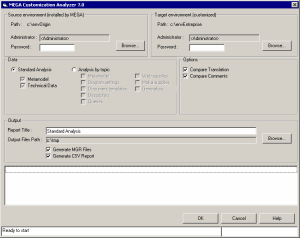
The MEGA Customization Analyzer application opens.
If you have modified your work environment (Target environment) by importing corrective files of type .mol provided by MEGA, you must also apply these to the source environment. In this way the comparison will check out only your modifications. |
3. In the Source environment pane, click Browse to define the Path of the source environment installed by MEGA.
4. Click OK.
The source environment Path is displayed.
5. In the target environment pane, click Browse to define the Path of the target (or customized) environment.
6. Click OK.
The target environment Path is displayed.
7. (Optional) The environment standard administrator is selected. If you have deleted this, enter the name of your administrator and password if necessary.
8. Select data to be compared/
9. Define comparison parameters.
10. Click OK.
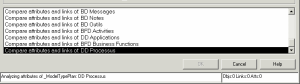
Messages indicate progress of comparison.
The XML report file is generated:
Depending on configuration, it includes a list of objects, links, characteristics and translations, indicating the differences detected. You can change results sort order simply by clicking the different columns.
 See "Comparison Types".