Scheduler configuration
Scheduler requires a properly configured MOS. One Scheduler instance is automatically instantiated into each Environment MOS.
MEGA installations without Scheduler
Some standard features (as provided standard Workflow Definitions) require a Scheduler instance. But Scheduler needs MOS and RDBMS repository.
For features relying on Scheduler to be executed, an option enables to deactivate the Scheduler so that all Scheduler operations calls are ignored.
To deactivate dependencies with Scheduler:
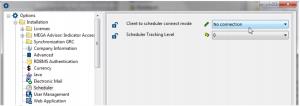
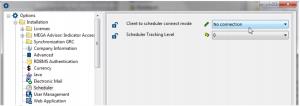
1. Go to MEGA Options: Installation > Scheduler.
2. In the right pane, set the Client to scheduler connect mode option value to “No connection”.
Traceability
The Scheduler Tracking Level option enables to log the Scheduler actions into MEGA error log.
To follow up Scheduler activity:
1. Go to MEGA Options: Installation > Scheduler.
2. In the right pane, select the Scheduler Tracking Level option value.
The tracking levels are:
0: no information logged
1: global scheduler actions
o Scheduler start
o Scheduler stop
o Scheduler Triggers reload from repository
2: updates and all client side calls
o Add Trigger
o Remove Trigger
o Update Trigger
o Get Trigger
o All client side calls
3 : job executions
o Job triggering
o Job execution