Contents of Generated Reports (MS Word)
Generated reports (MS Word) consists of two parts:
• Texts that you can modify directly in MS Word.
• Description of the objects in the MEGA repository. This text is in blue.
To insert descriptions of MEGA repository objects into documents:
1. Select objects to be inserted in the report (MS Word).
2. Select the format for describing these objects.
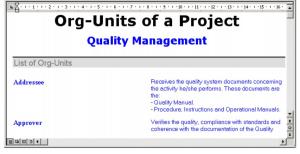
In the above example, the selected objects are the various org-units involved in the “Order Management” project.
Each org-unit name is in bold characters and its comment appears next to it. The text is formatted using MS Word styles.
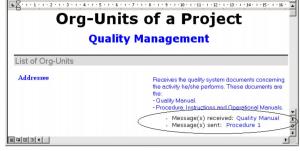
An object description can include other objects:
In the above example, the description of the org-unit contains its name and comment plus the messages the org-unit sends and receives.
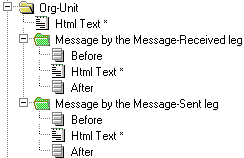
In this case, the object description, or descriptor, is represented by a menu tree structure with text that explains each included object.
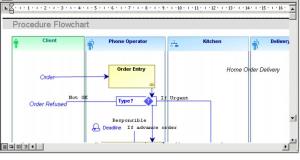
An object descriptor can also contain a drawing.