Creating a Navigation Tree
Creating the object associated with the navigation tree
To create a navigation tree:
1. In the MetaStudio navigation window, expand the MetaViewport folder.
2. In the MetaViewport folder, right-click Windows Desktop and select New > MetaTree.
3. In the creation dialog box, enter the name of the new MetaTree and click OK.
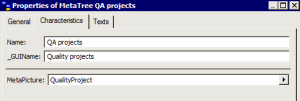
4. From the Properties window of the newly-created MetaTree, specify the name and picture characteristics that will be associated with the tree in the navigation window.
To see the result:
1. Exit and restart MEGA.
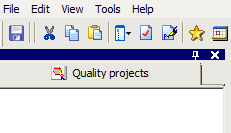
2. In the MEGA workspace, select View > Navigation Windows > "Name of new MetaTree".