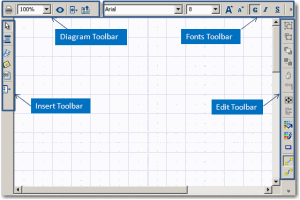
Edit Area
The edit area is mainly used to open and edit diagrams.
The start page in the edit area allows you to:
• build your diagrams using the diagram creation wizard.
• create your projects based on methods proposed by MEGA.
• rapidly access the different MEGA modules.

At first connection, the edit area opens on the start page (tab
MEGA). To reopen the home page, in the
MEGA menu bar, select
?.
> Start Page.
The edit area comprises:
• tabs that enable navigation in the edit area.
• a diagram editor.