Accessing report templates available on an object (MEGA Windows Front-End)
The report templates proposed as standard by MEGA product are designed to compare objects according to specific criteria.
The Report Discovery command of the pop-up menu of an object enables:
• display of a list of report templates relating to the object, from which you can create new reports.
• launch existing reports.
To access report templates and reports available on an object:
1. Right-click the object and select Report Discovery.
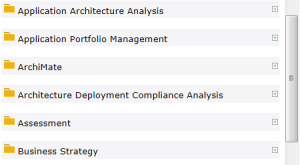
The list of report templates relating to the object appears in the edit window.
The report templates are classified in folders by category.
2. Click the

button of the folder to display the report templates included in this category.
Report templates can contain one or several parameters. Certain parameters are defined automatically with the value of the selected object. Other parameters must be specified. Depending on the report template, you can:
• directly launch the report
• modify default values and launch the report
• enter missing parameters and launch the report.
 For more details on launching reports, see "Launching a report (MEGA Windows Front-End)".